| Edition: Growth, Corporate, Enterprise | Audience: All Users |
Rejection and Placement Statuses in Jobs Pipeline
Jobs Pipeline supports the addition of Rejection Statuses to any type of pipeline. Any shortlist status can be included in the status of Rejected. Examples of these are:
● Candidate Not Interested
● Candidate Rejected
● Client Rejected
● Offer Rejected
● Consultant Rejected
● Sales Rep Rejected
These statuses would be defined by your Bullhorn Analytics Administrator. Once added, a Rejected Column will appear in the pipeline.
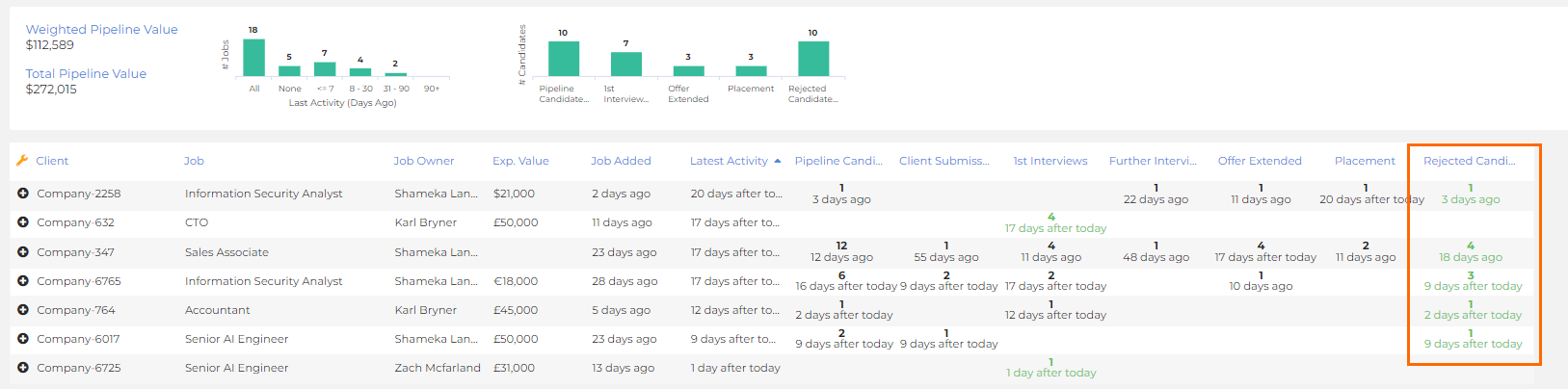
If a candidate is rejected and they are the most progressed candidate for that job / vacancy, the Weighted Value for that job / vacancy will revert to that of the next most progressed candidate. Placed candidates will typically assign 100% of the Expected Value to the job / vacancy.
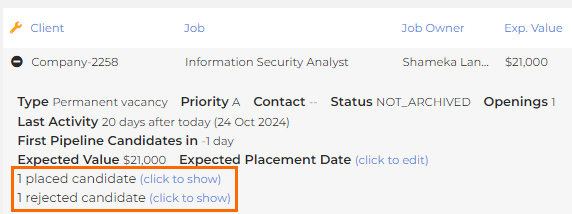
Candidates that are either Placed or Rejected will disappear from the candidate array for that job, but will be accessible from these options at the bottom of the array. You can click on these to expand and view: