Company Mapping Dashboard
Company Mapping connects VMS company data to ATS company data so that the correct ATS company is set on a position when it uploads. This matching can happen automatically or manually.
The Company Mapping Dashboard is used to monitor your company mappings between ATS and VMS at a glance. Use this article to understand the different components of the Company Mapping Dashboard.
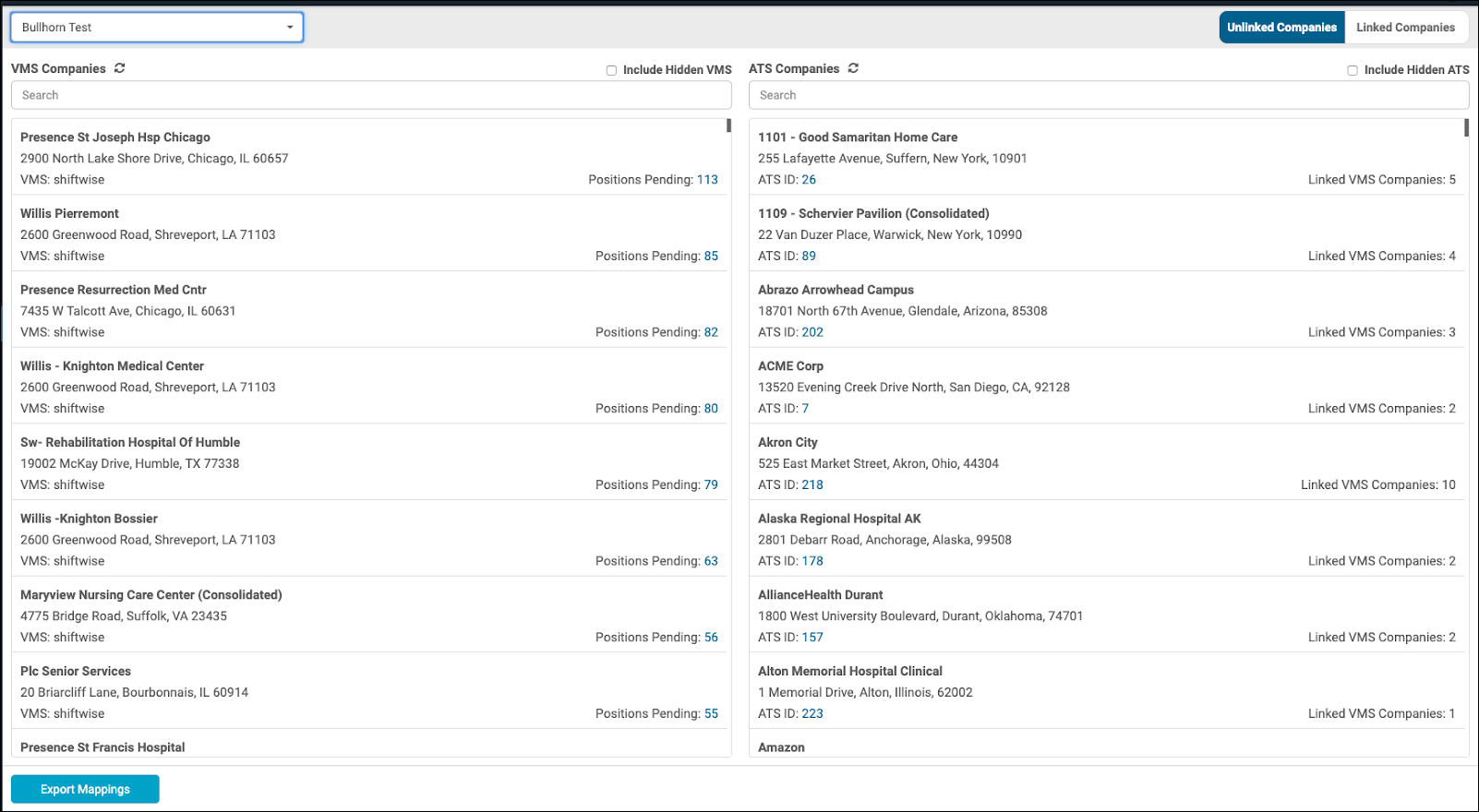
Check the Company Mapping Dashboard daily to catch unlinked companies before positions stall.
ATS Companies
Every company listed on the ATS with a valid status (e.g. not “Archive” - this varies per ATS) is retrieved and saved as an ATS Company. Changes to each company are tracked using its unique ID number.
VMS Companies
Every combination of a unique company name and address found on the VMS will be saved as an individual VMS Company mapping, even if the differences are minor. When processes a position with a new Company Name and Address combo, a new VMS Company is automatically added to the VMS Companies list.
Unlinked Companies
Unmapped VMS Companies display on the Company Mapping Dashboard's Unlinked tab for manual linking.
Positions associated with an unlinked VMS Company are not delivered to the ATS until they're manually linked to an ATS Company.