Unlink Companies
Company Mapping connects VMS company data to ATS company data so that the correct ATS company is set on a position when it uploads. This matching can happen automatically or manually. Unlinking companies in the Company Mapping Dashboard prevents future positions from being uploaded to the ATS until the VMS company is re-linked to an ATS company. Follow the steps in this article to unlink a company.
Existing ATS Positions uploaded previously are not automatically affected by unlinking. They will only be updated when the VMS Company is re-linked.
- Click the Linked Company tab on the Company Mapping Dashboard.
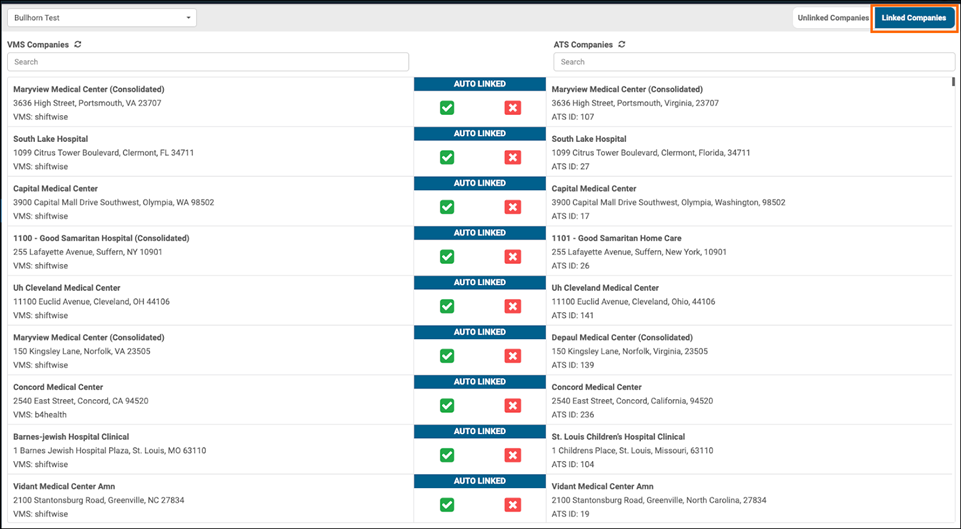
- Search by VMS Companies or ATS Companies to find the link.
- Click the red X icon to unlink the companies.
Was this helpful?