Add Bank Account
This workflow will add a bank account record to the corporation for use in payroll and account receivables workflows.
Permission for this component is granted via the manage corporation and manage back accounts permissions under the financial administration category; default with the financial administration security profile.
-
From the Bank Accounts segment, click the Add button below the list box.

-
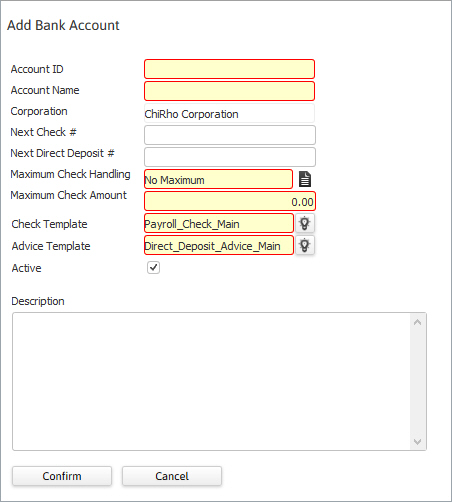
The Add Bank Account workflow in a new window.
- While updating the form, fields marked in red are required to complete the workflow.
- Maximum Check Handling options will stop the check from issuing, create a diagnostic or do nothing.
- Click confirm to complete the workflow and display the summary segment of the bank account record. Edit the segment to add details.
Was this helpful?