Running a Report in BTE
Learn how to run a standard report in BTE by following the instructions below. All of BTE's Standard Reports can also be scheduled to run in advance. see Schedule a BTE Report for more information.
-
In the TMC, navigate to Tasks > Reports.
-
Ctrl + F to fast find the report you want to schedule. Or browse the list of reports by using the scroll bar.
-
Select a report.
-
Fill out the information int he pop up window. Criteria will different per report, but you will always need to enter your email address to directly receive your report.
-
Select Run Now.
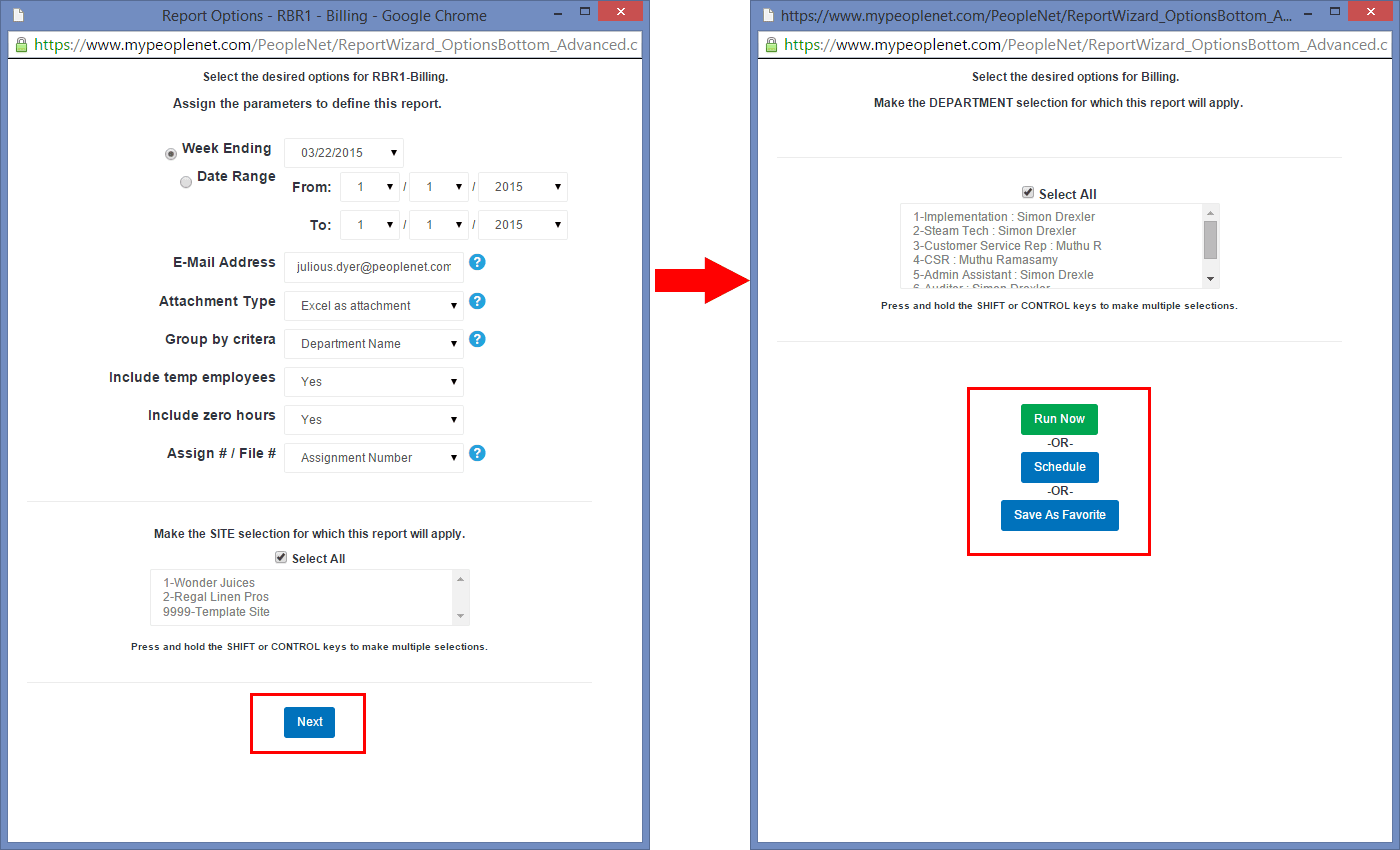
The report will be emailed to the email address you entered in Step 3. You can also view your report in the BTE Report History tab.
Was this helpful?