| Edition:Growth, Corporate, Enterprise | Audience: Jobs Pipeline Admin |
Update Jobs Pipelines
This article explains how to edit existing pipelines.
Jobs pipelines list jobs and display their current stage in the recruiting process. Users can also view a specific Job which will show all of the live Candidates that are going through the pipeline.
How to Update Jobs Pipelines
Access all Pipeline change options by going to Admin > Jobs Pipeline.
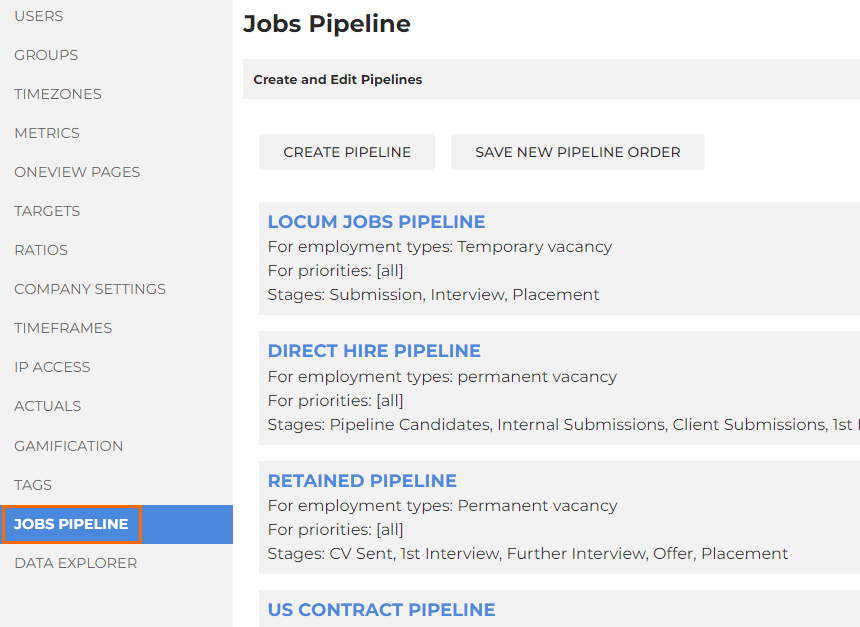
Here you can see your existing pipelines.
- Use the arrow icons to change the order of pipelines in the list.
- Use the X icon to delete pipelines you are no longer using.
- Use the clone icon (
 )to clone an existing pipeline.
Click into a pipeline to edit it, including the name, displayed employment types, number and order of stages, and the weighted value of the stages.
The weighted value is how the estimated pipeline value at the top summary area of the pipeline in the application is calculated. If you have 10 jobs which are worth 10k each, and they are at "Shortlisted" stage which has a 10% weighting, you will see the total pipeline value as 100k, and the weighted pipeline value as 10k.
