Enable Candidate Search, Job Search, and Portal
All Textkernel Search and Match setup procedures are available here.
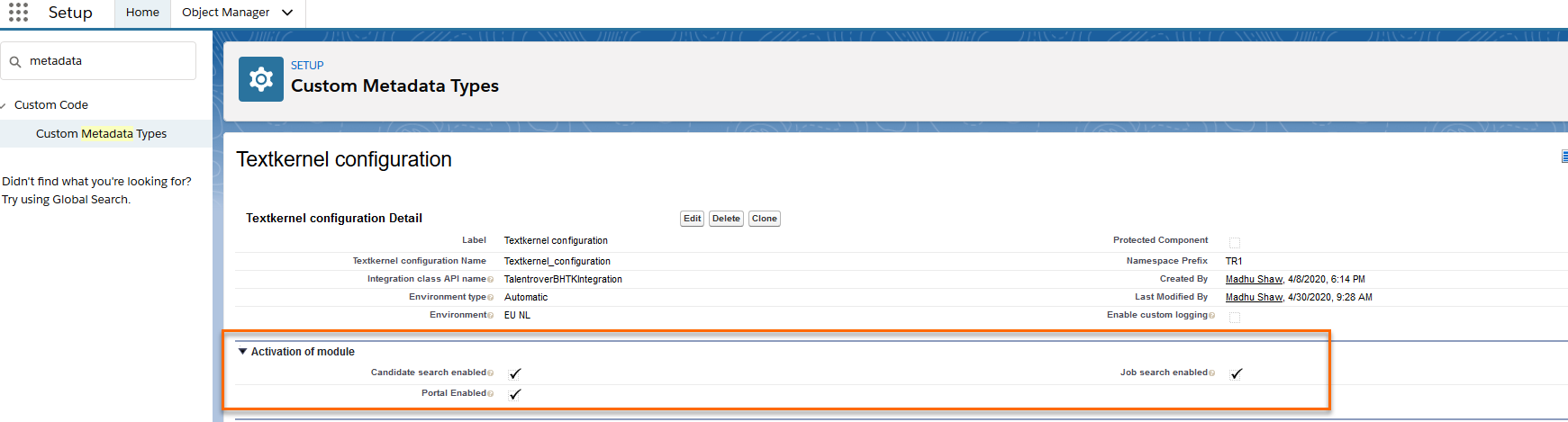
- Go to Setup > Custom Metadata Types > Textkernel configuration and click Manage Records.
- Choose Textkernel Configuration.
- On this page, enable these three checkboxes:
- Candidate search enabled
- Job search enabled
- Portal Enabled
Next Procedure
Was this helpful?