Submittal Details Page
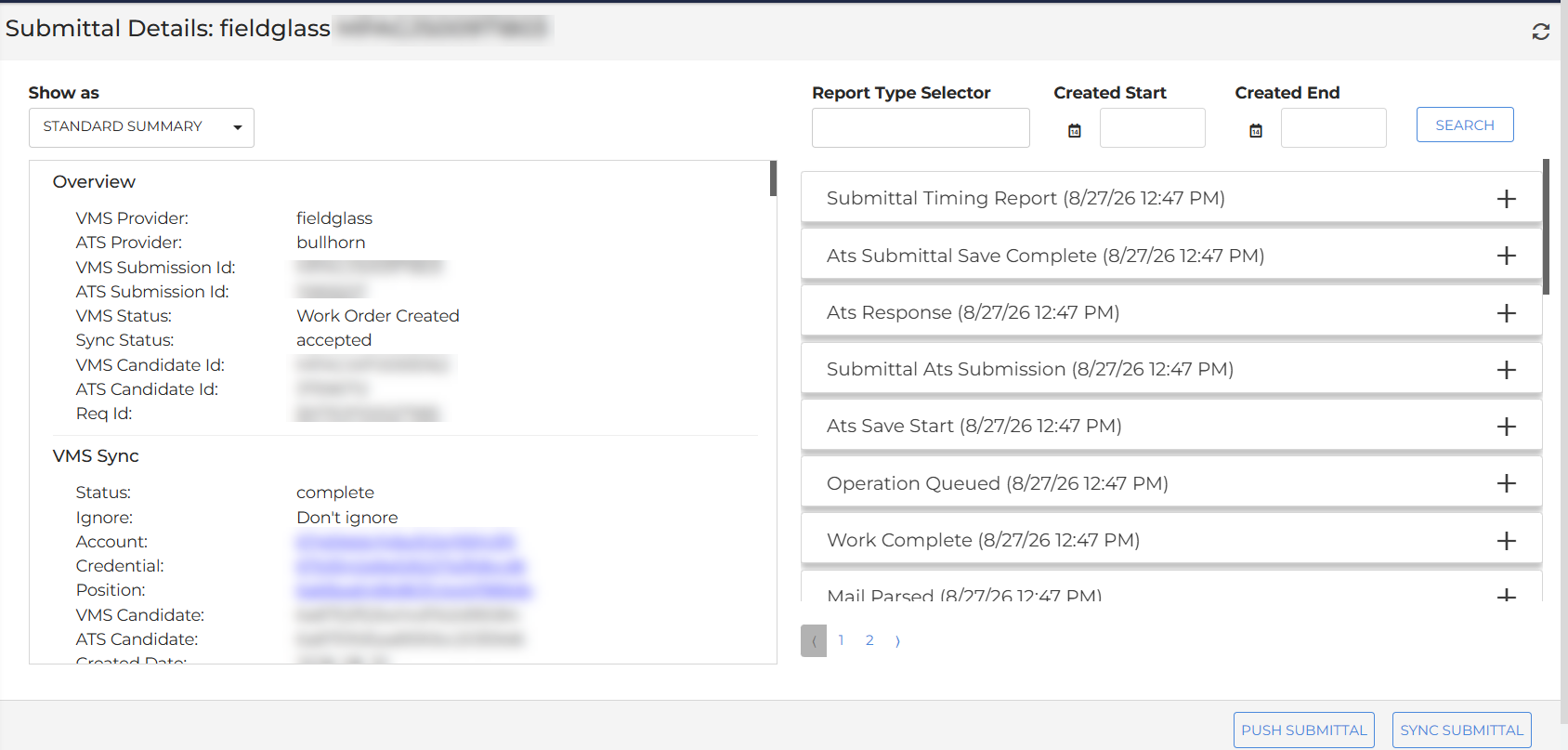
The Submittal Details page allows your admins and Bullhorn Support team members to view the current state of an individual submittal and take action to resolve sync issues.
Navigating to the Submittal Details Page
Click an ID on the Submittals List to open the Submittal Details page.
Submittal Actions
On a Submittal Details page you can view information in the left side panel in standard format, formatted JSON, or raw. On the right panel you can open timestamped events related to your submittal. This information is helpful in understanding and tracking the process your submittal went through. You can also take the following actions:
-
Push Submittal: Reprocess a submittal through VMS Sync and push to the ATS without re-pulling from the VMS. Use this when the submittal data in VMS Sync is correct but the ATS has not been updated. Located in the bottom right corner.
-
Sync Submittal: Perform a full submittal update from the VMS, processed through VMS Sync and pushed to the ATS. Use this when the submittal status in the ATS does not reflect what is shown in the VMS. Located in teh bottom right corner.