| Edition: All Editions | Audience: All Users |
Enabling Bullhorn Analytics Startup Screen
This article explains how to add Bullhorn Analytics as a startup screen in Bullhorn ATS. Adding Bullhorn Analytics as a startup screen means that it will automatically be launched when you load Bullhorn ATS.
Steps
- In Bullhorn ATS, navigate to Menu > Tools > Preferences.
- Alternatively, click on your username in the top right corner of the screen, and select Preferences.
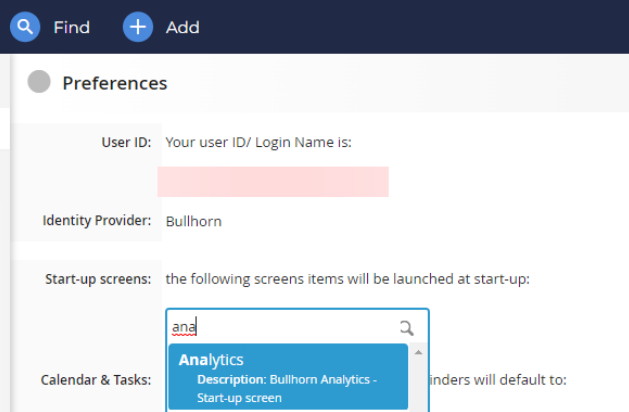
- Under the Start-up screens section, search for "Analytics" and select it in the picker.
- Scroll to the bottom of the page and click Save. You will need to reload Bullhorn ATS for the change to take effect.
If you don't see Analytics listed as an option, contact Bullhorn Analytics Support.
Was this helpful?