| Edition: All Editions | Audience: All Users |
Track Calls in Bullhorn Analytics
This article outlines how calls are tracked in Bullhorn Analytics.
Calls are tracked via the Notes section in Bullhorn Analytics. You can set up your Analytics system to track different Note types and have them show against different metrics. Once a Note is added in Bullhorn ATS, as long as the Note type is mapped into Analytics, it will show in the relevant Note/Call metrics.
Your Analytics system will already be set up to recognize different Note types. If you find that certain Note types are not showing, or if you have added a new Note type that you would like to track, contact the Analytics Support team. You can also contact Support to change the Note types you'd like to see in each Call-related metric (Only available with the full Enterprise plan).
Steps to Track a Call
- Create a new Note in Bullhorn ATS.
- In the About field, enter the person you want the Note to be logged against.
- The Note will only be logged against the person in the About field, not anyone added to the Additional References field.
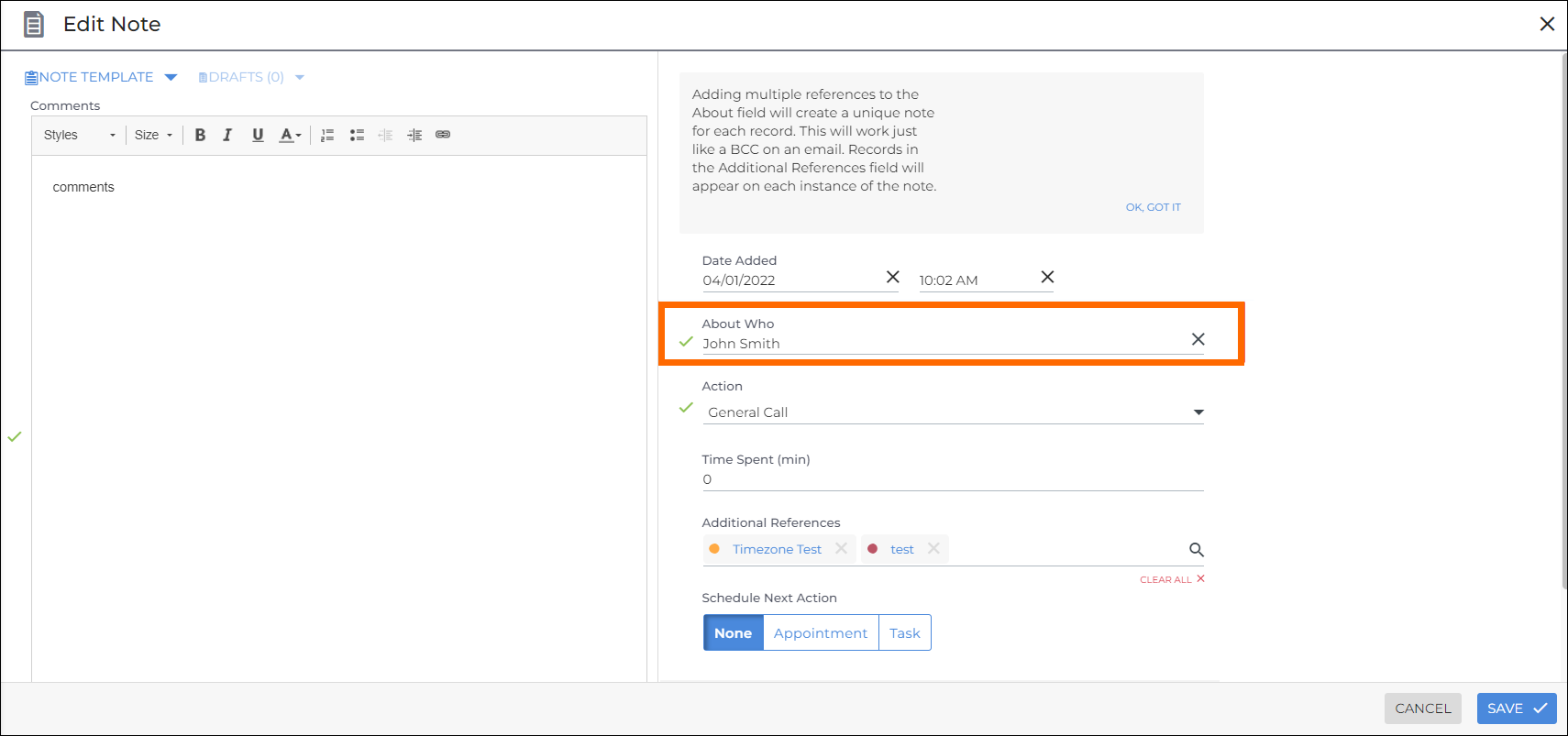
- The Note will only be logged against the person in the About field, not anyone added to the Additional References field.
- Set the Action to reflect the type of call ("Prescreen", "Check Up Call", etc).
- Fill in all remaining fields, then Save.
- The Note will be logged against the relevant Call metric in Bullhorn Analytics.