| Edition: All Editions | Audience: All Users |
Track Shortlists in Bullhorn Analytics
Shortlists are tracked via the Shortlist section in Bullhorn ATS. Your Bullhorn Analytics system can track different Shortlist statuses from this section and show them in the relevant metrics.
You can decide which Shortlist statuses you'd like your Analytics system to track. Each time you change the status of a Shortlist to one that your Analytics system recognizes, it will be passed to Analytics and will show in the relevant metrics.
If you'd like Analytics to track a new Shortlist status or if you'd like to change the statuses currently being tracked, contact Bullhorn Analytics Support.
Steps
- Navigate to the Shortlist section in Bullhorn ATS.
- Change the Shortlist Status to one of the statuses your Bullhorn Analytics system recognizes.
- When you first Shortlist a Candidate, it will automatically be assigned the status of "Shortlisted", which is tracked in Bullhorn Analytics by default.
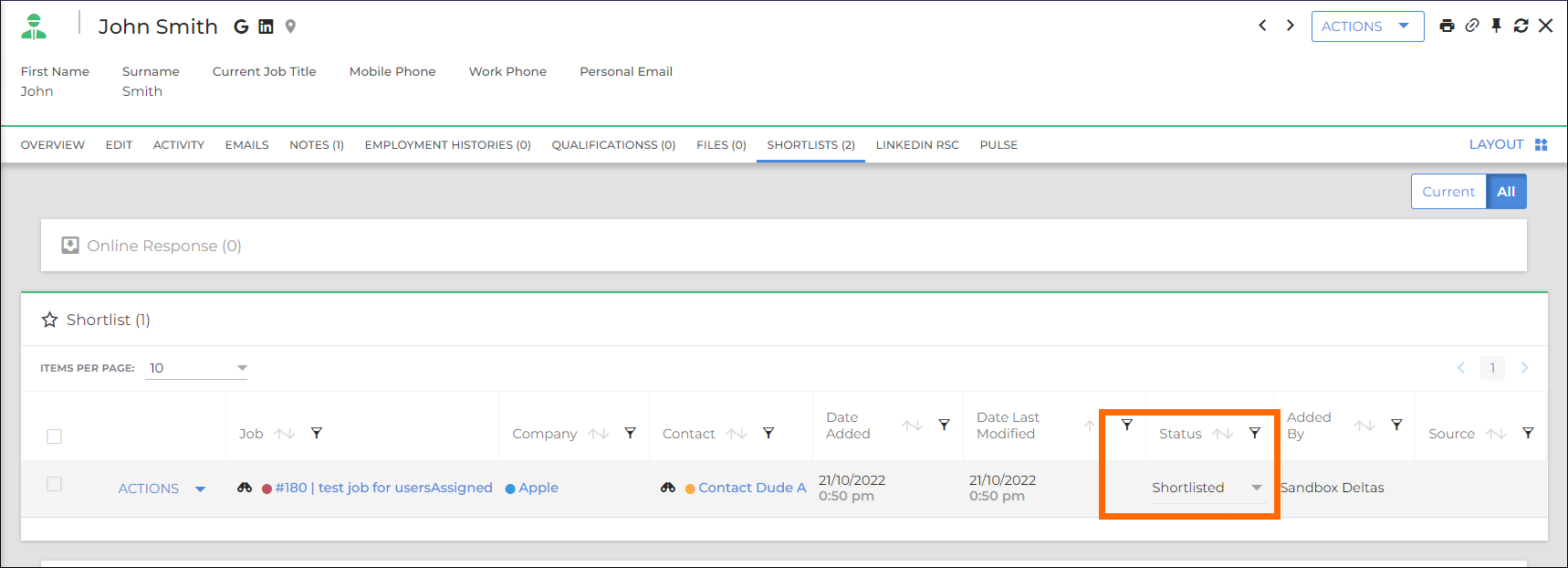
- When you first Shortlist a Candidate, it will automatically be assigned the status of "Shortlisted", which is tracked in Bullhorn Analytics by default.
- After saving, the status change will be fed through to Analytics and will show in the relevant metrics for this status.
Was this helpful?