Omnitable Troubleshooting
This guide provides solutions to common issues encountered when working with Omnitable and the Contextual Data Viewer. Use this resource to quickly diagnose and resolve configuration problems.
This guide will be updated with new troubleshooting scenarios as they come in.
Full Screen Functionality

If you receive this error when you click on the ‘Full Screen’ icon:
- Go to the Settings icon in the top right of the screen and click Edit Page.
- Identify the Flow you are using in your Omnitable/Contextual Data Viewer configuration and go to that Flow.
- Open the Flow’s Edit Screen.
- Find the Omnitable component in the Flow and go to its Properties on the right-hand side.
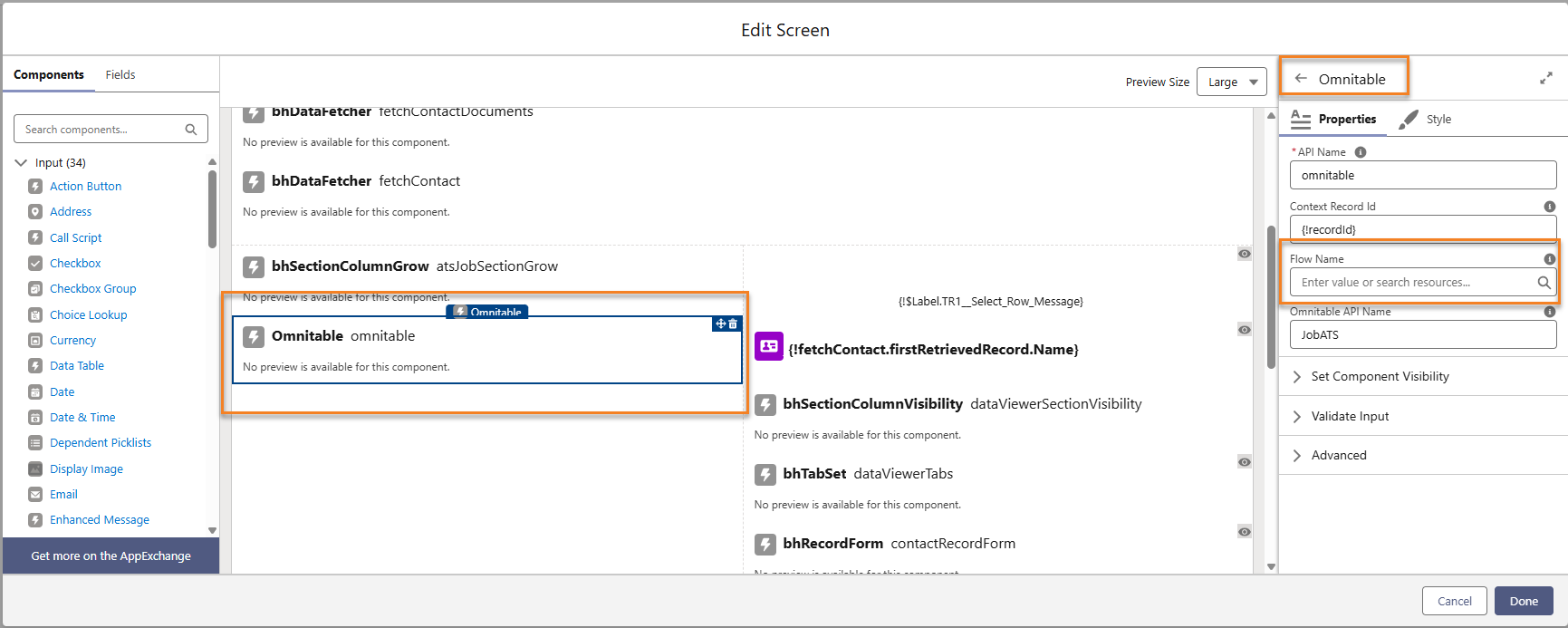
- Enter the Flow API Name in the Flow Name lookup and click Save.
Was this helpful?