Link Candidate(s) to Contract Job
Use this workflow to link one or more Candidates to a Contract Job Order and create a Submittal record to record the history of each Candidate's submission process.
- Select Link Candidate(s) to Job from the Assignment Activities menu in the Activities drop-list.
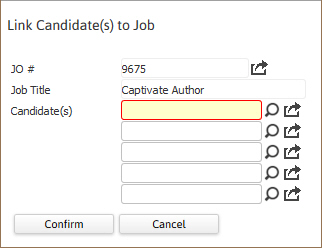
- The Link Candidate(s) to Job workflow will open in a new window; enter the Candidate(s) name to link to the job.
- By clicking on the buttons to the right of certain fields, a new window will appear that will let you search and find information for that specific field or re-direct you to that specific field’s record.
-
Click Confirm to complete the workflow.
-
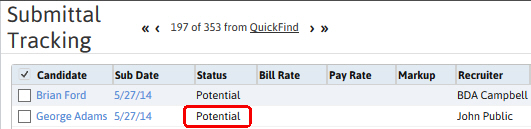
After completing the workflow the Submittal Tracking segment will refresh and display the newly linked Candidate(s). The submittal status will show as potential with today's date.
-
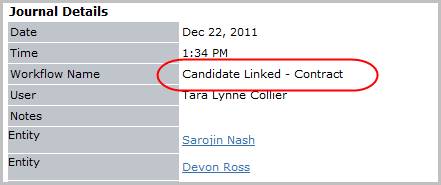
Check the journal to confirm Candidate Linked entry posted. If more than one Candidate was linked there should be an entry for each Candidate. The activity details will be saved and will be available for reporting purpose.