Make Offer for Assignment
Use this workflow to offer a Candidate a Contract Job Assignment.
-
Select Make Offer in the Assignment Activities menu from the Activities drop-list.
You must select a Candidate to offer job from the Submittal Tracking segment prior to starting the workflow.
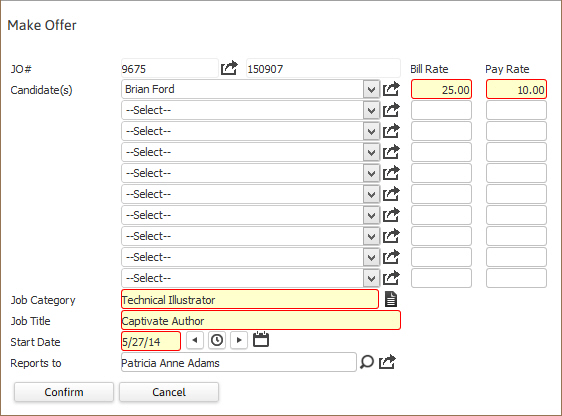
- The Make Offer workflow will open in a new window. Update necessary information; fields marked with in red are required to complete the workflow. By clicking on the buttons to the right of certain fields, a new window will appear that will let you search and find information for that specific field.
-
Click Confirm to complete the workflow.
-
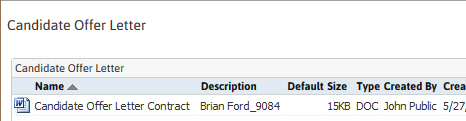
After clicking confirm, the document control window will open with the Candidate Offer available for viewing and printing. Click close to return to Adapt.
-
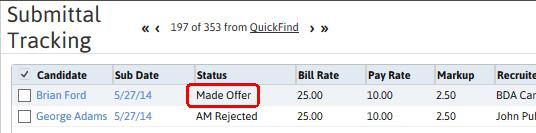
The Candidate's submittal status will be updated to Made Offer.
-
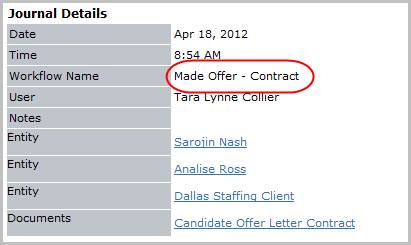
Verify the Made Offer - Contract entry and offer letter posted to the journal. The activity details will be saved and will be available for reporting purpose.