Bullhorn ATS Platform Redesign
Bullhorn is refreshing its look. The result is a more focused, efficient experience that helps your team find what they need faster and spend more time moving candidates and jobs forward, without changing the workflows they already know.
What's happening?
We're updating the visual design of the Bullhorn ATS platform. The goal is a cleaner, more modern, and more consistent experience across the board.
The update applies to everyone on the platform: recruiters, sales teams, back office staff, and managers. Your data, workflows, settings, and configurations all carry over automatically. The way you work day-to-day stays exactly the same.
The redesign is included in all existing subscription plans at no extra cost.
All accounts will move to the new interface over time. We'll give you plenty of advance notice so you can plan ahead.
Simply Put:
The update is purely visual. We're refreshing the layout, spacing, fonts, colors, and icons to give the platform a more modern feel.
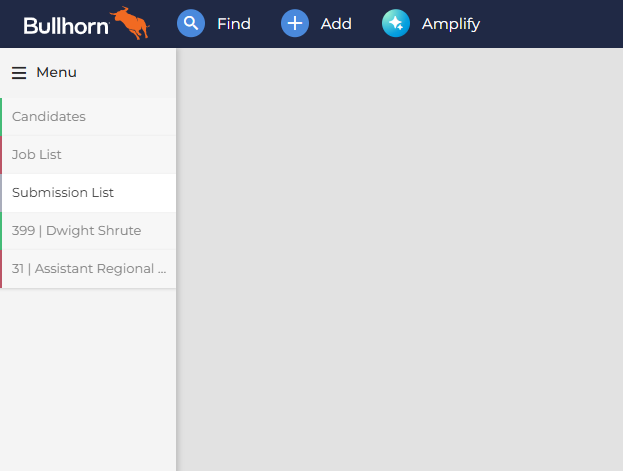
The most noticeable change is the navigation menu. It moves from the top bar to a permanent left sidebar. This gives you more vertical screen space when you're working through candidate files and record details.
Everything else — your data, processes, custom fields, and page layouts — stays exactly as it is.
Changes at a Glance
Navigation
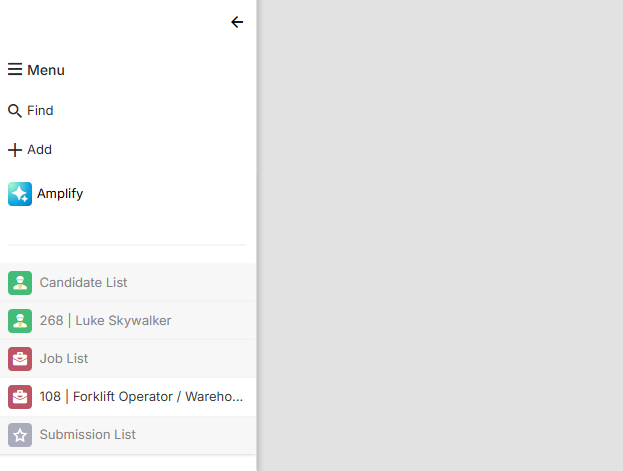
Standard actions like fast find and user preferences move from the top bar to a permanent left sidebar called the Bowling Alley.
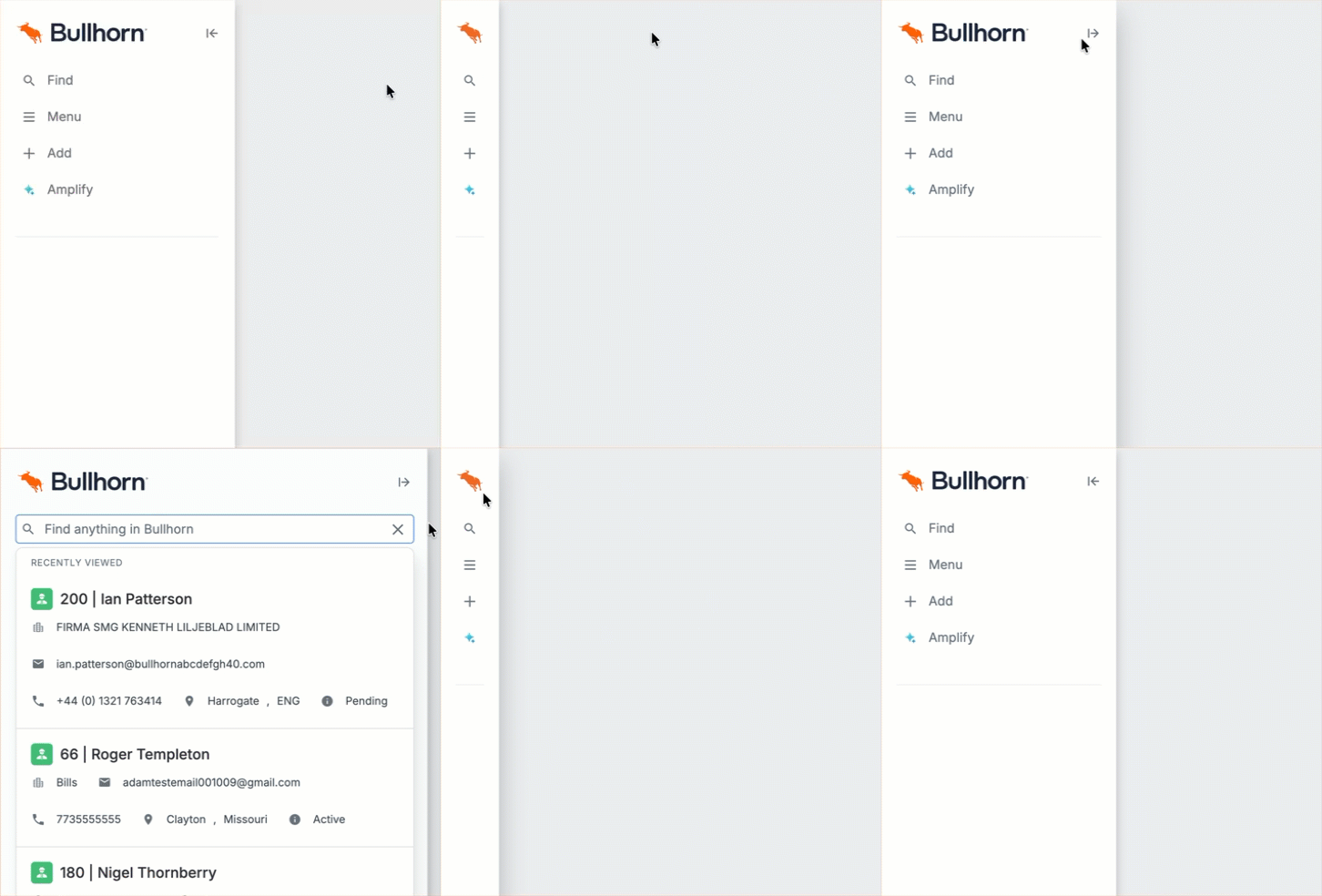
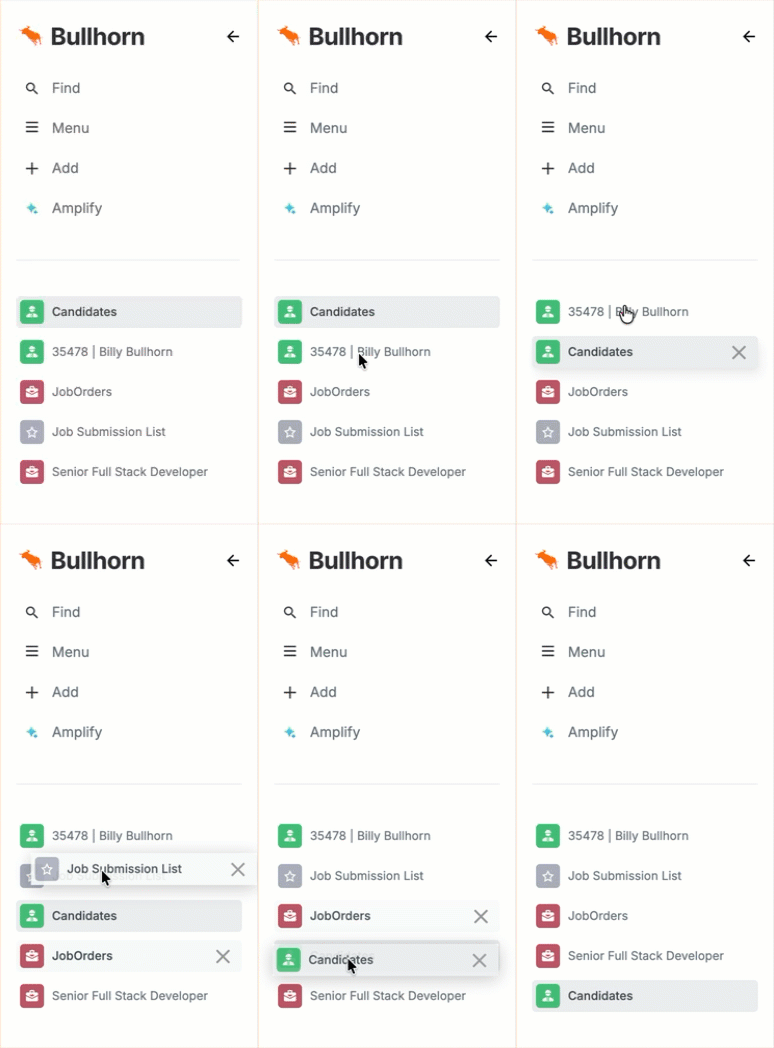
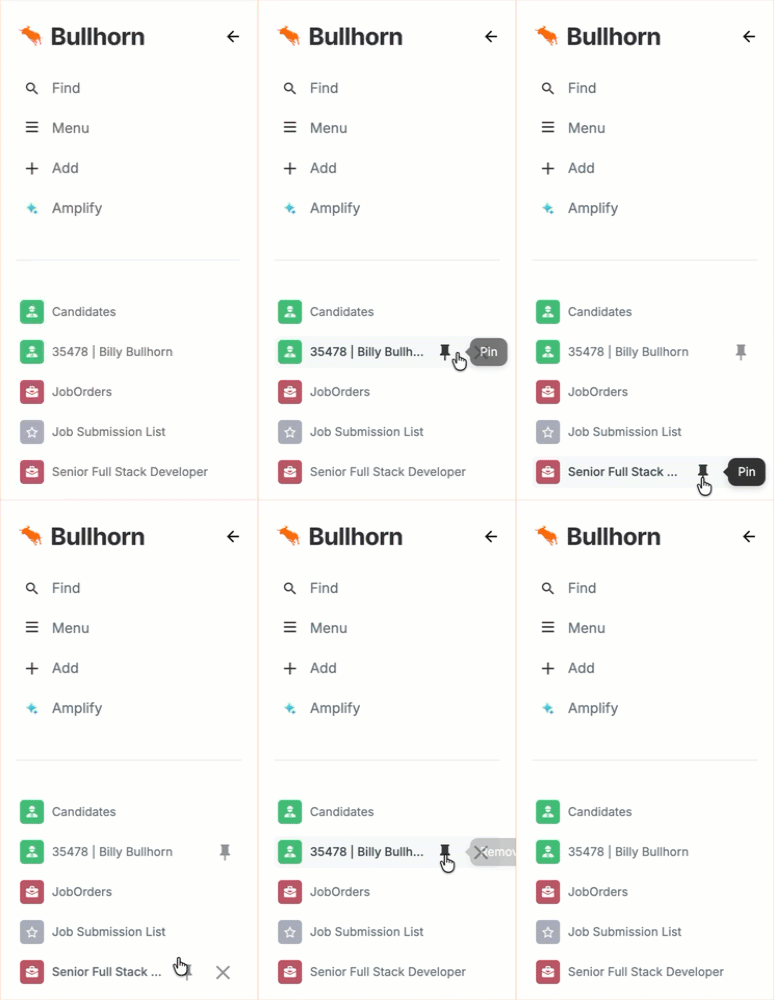
Here's what you can do with the Bowling Alley:
Expand or collapse it
The Bowling Alley is open by default, but you can collapse it. It expands automatically when you hover over it.
Reorder items
Click and drag items to arrange them in any order you like.
Pin items
Pin your most-used items directly from the Bowling Alley, without going to the page overview first.
Old vs. New Comparison
Record View
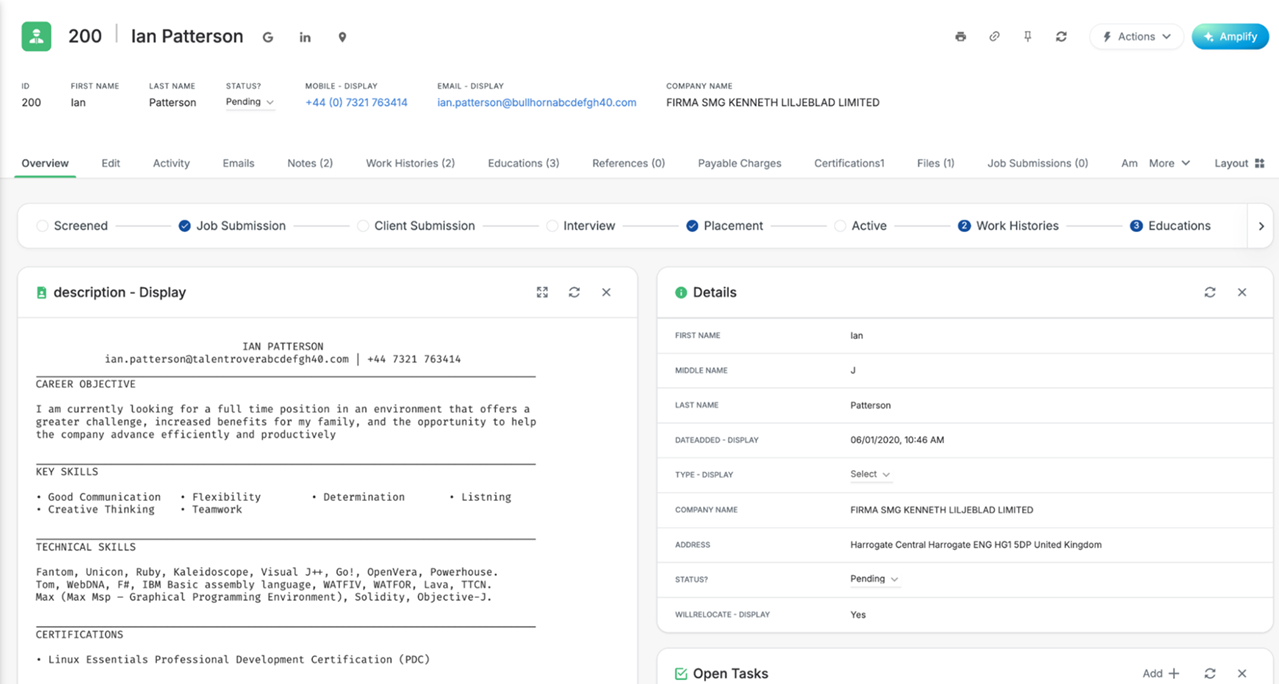
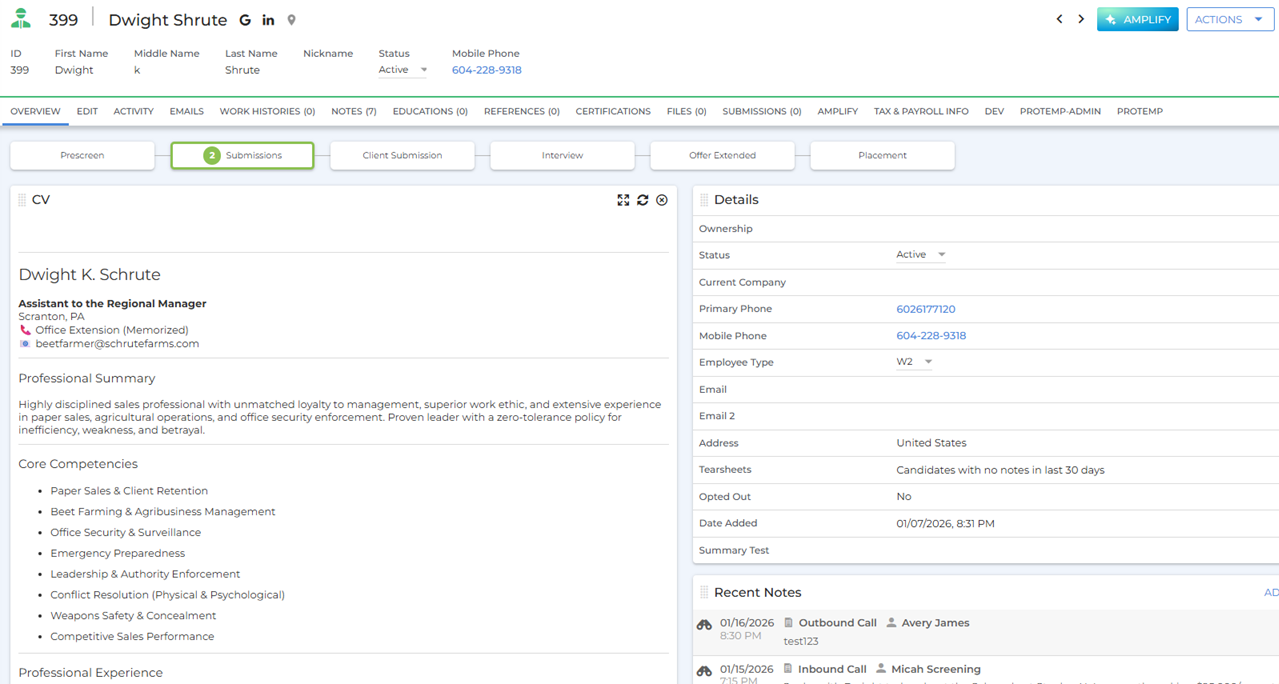
Record views have a cleaner layout with improved spacing, fonts, and colors. The design draws your eye to the most important information without feeling cluttered.
Old vs. New Comparison
Candidate and Job List Views
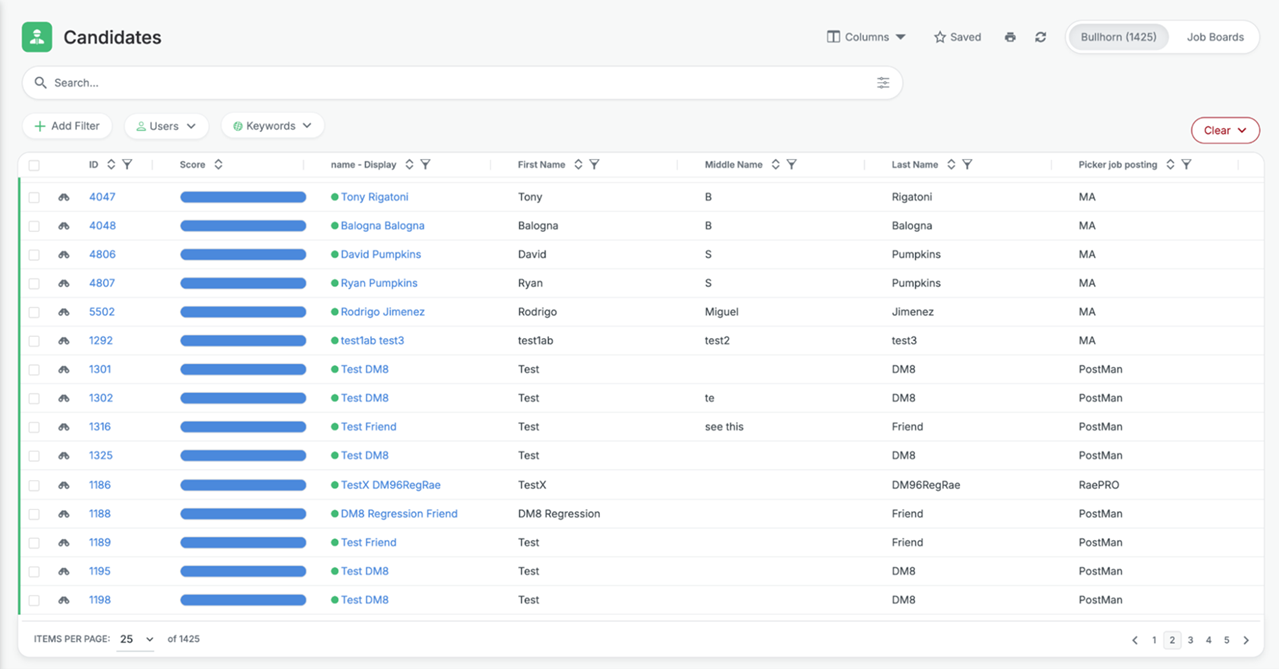
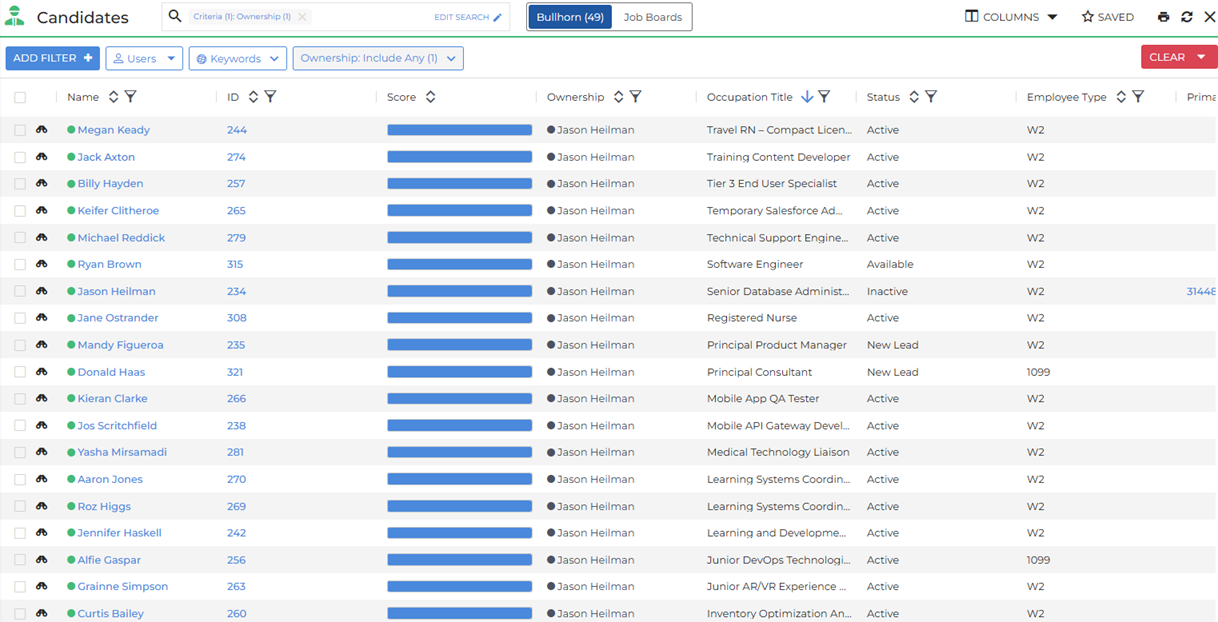
The Candidate list and Job list views have been redesigned for a more balanced layout. Search actions are easier to find, and large sets of results are better organized so you can scan through them more quickly.
Old vs. New Comparison
FAQ
Will this affect my data, workflows, or settings?
No. Your recruitment data, workflows, settings, custom fields, and page configurations transfer automatically to the new interface. Nothing needs to be rebuilt, and your core processes work exactly the same way.
Will my team need retraining?
Not significantly. The main change is that the navigation menu moves from the top bar to the left sidebar, so you may want to send your team a quick heads-up about where to find it. Everything else works just as it does today.
When will I see the new interface?
Early Access for existing customers opens in August 2026, starting in staging environments. From November 2026, all existing customers can begin testing in staging. All accounts will then move to the new interface in phases through the rest of 2026.
How do I sign up for Early Access?
Contact your Bullhorn account representative to register your interest.
Can I stay on the current interface?
All accounts will move to the new interface in due course. We'll communicate the timeline in advance so you can plan accordingly.
Does this cost anything extra?
No. The redesign is included in all existing subscription plans at no additional cost, across all ATS/CRM editions.
Will this affect the Bullhorn mobile app?
No. This update applies to the desktop browser version only. Mobile updates are planned for a future release.
Will my marketplace partner integrations be affected?
We don't anticipate any impact. However, some third-party vendors may need to make minor adjustments to accommodate the updated styling. We recommend checking in with your integration partners closer to your migration date.
I heard about a new submission workflow and conversational search. Are those part of this update?
No. Those are separate features that go beyond the visual redesign and will be released individually. More details will follow closer to their release dates.
Will the new interface support screen readers?
The new UI includes screen reader support for many elements. There are still some areas of the platform that don't yet support screen readers, and we'll continue improving accessibility over time.