Steps and Criteria Available for Companies Automations
The Companies entity is currently in Early Access.
The Companies entity in Bullhorn Automation represents a company record synced from Bullhorn ATS. This article covers the automation steps, list criteria, and merge tags available for the Companies entity.
Supported Automation Steps for Companies
See the Automations Steps article for more information about each step.
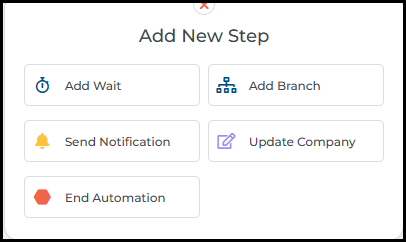
The following steps are supported in company-based automations:
-
Add Wait
-
Add Branch
-
Send Notifications
-
Update Company
-
End Automation
Supported List Criteria for Companies
See the documentation on Lists for more information.
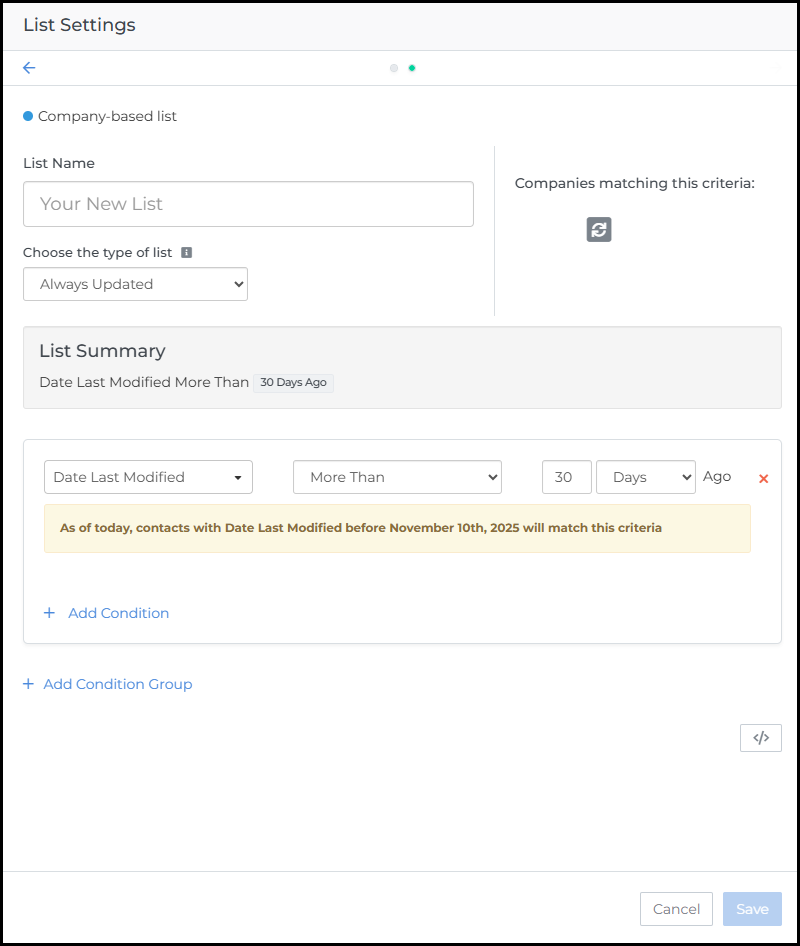
The following criteria categories are supported with company-based lists and advanced search:
-
File
-
Sales Contact
-
Placement
-
Submission
-
Job
-
Company
Merge Tags Available in Companies Automations
Review the Merge Tags Explained article for more information.
The following standard fields can be found in Company-based automations:
|
Merge Tag Name |
Tag ID |
|---|---|
|
Company Billing Contact |
%COMPANYV2BILLINGCONTACT% |
|
Company Billing Frequency |
%COMPANYV2BILLINGFREQUENCY% |
|
Company Billing Phone |
%COMPANYV2BILLINGPHONE% |
|
Company Company Description |
%COMPANYV2COMPANYDESCRIPTION% |
|
Company Company Url |
%COMPANYV2COMPANYURL% |
|
Company Competitors |
%COMPANYV2COMPETITORS% |
|
Company Culture |
%COMPANYV2CULTURE% |
|
Company Date Added |
%COMPANYV2DATEADDED% |
|
Company Facebook Profile Name |
%COMPANYV2FACEBOOKPROFILENAME% |
|
Company Fax |
%COMPANYV2FAX% |
|
Company Fee Arrangement |
%COMPANYV2FEEARRANGEMENT% |
|
Company Funding |
%COMPANYV2FUNDING% |
|
Company Invoice Format |
%COMPANYV2INVOICEFORMAT% |
|
Company LinkedIn Profile Name |
%COMPANYV2LINKEDINPROFILENAME% |
|
Company Name |
%COMPANYV2NAME% |
|
Company Num Employees |
%COMPANYV2NUMEMPLOYEES% |
|
Company Num Offices |
%COMPANYV2NUMOFFICES% |
|
Company Ownership |
%COMPANYV2OWNERSHIP% |
|
Company Phone |
%COMPANYV2PHONE% |
|
Company Status |
%COMPANYV2STATUS% |
|
Company Tax Rate |
%COMPANYV2TAXRATE% |
|
Company Ticker Symbol |
%COMPANYV2TICKERSYMBOL% |
|
Company Work Week Start |
%COMPANYV2WORKWEEKSTART% |
|
Company Year Founded |
%COMPANYV2DATEFOUNDED% |
|
All custom fields associated with Companies are supported as merge tags. |
|
FAQ
Can automation update parent and child company records based on their relationship?
Not currently. Automation can see and update all company records, but it treats them as independent company records without recognizing parent/child associations. You can update a parent record or a child record on its own without issue. The limitation is triggering updates based on the relationship itself, like updating all child records when a parent record changes.