Steps and Criteria Available for Candidates Automations
The Candidates entity in Bullhorn Automation represents a candidate record synced from Bullhorn ATS. This article covers the automation steps, list criteria, and merge tags available for the Candidates entity.
Supported Automation Steps for Candidates
See the Automation Steps article for more information about each step.
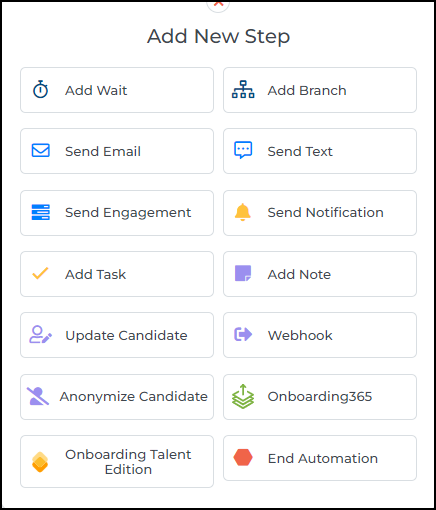
The following steps are supported in candidate-based automations:
- Add Wait
- Add Branch
- Send Email
- Send Text
- Send Engagement
- Send Notification
- Add Task
- Add Note
- Update Candidate
- Webhook
- Anonymize Candidate
- Onboarding365 - with integration
- Onboarding Talent Edition - with integration
- End Automation
Supported List Criteria for Candidates
See the documentation on Lists for more information.
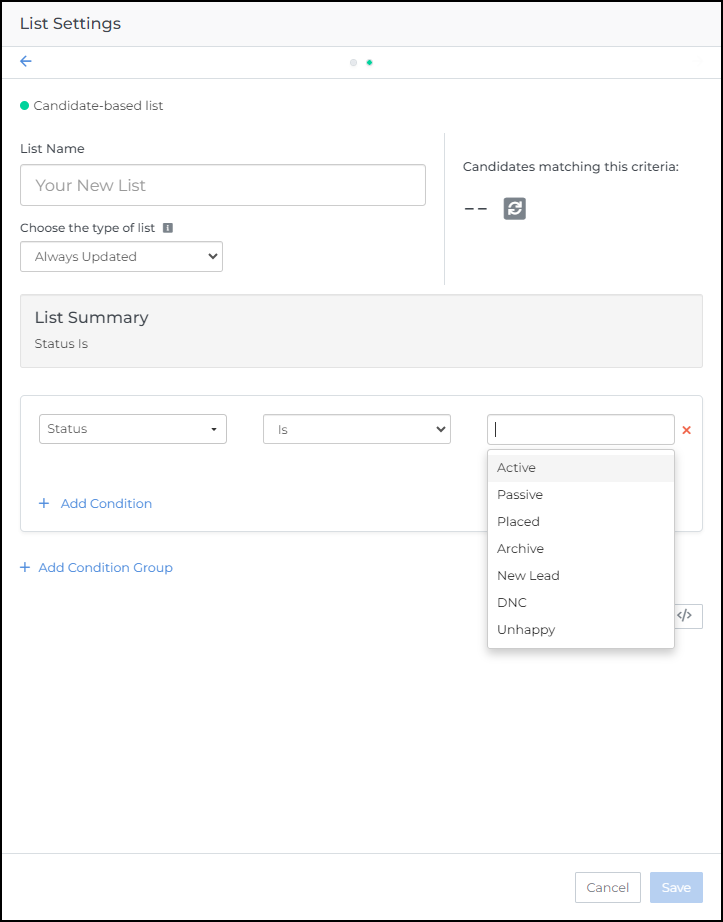
The following criteria categories are supported with candidate-based lists and advanced search:
- Candidate standard & custom fields
- Activity
- Placement
- Submission
- Note
- Education
- File
- Tearsheet
- Skills
- Specialties
Merge Tags Available in Candidates Automations
Review the Merge Tags Explained article for more information.
The following standard fields can be found in Candidate-based automations:
| Merge Tag Name | Tag ID |
|---|---|
| Candidate Address 1 | %STREET% |
| Candidate Address 2 | %STREET2% |
| Candidate Address Link | %ADDRESSLINK% |
| Candidate Appointment Date | %APPOINTMENTDATE% |
| Candidate Appointment Time | %APPOINTMENTTIME% |
| Candidate ATS ID | %ATSCANDIDATEID% |
| Candidate Category | %CATEGORY% |
| Candidate City | %CITY% |
| Candidate Company Name | %COMPANYNAME% |
| Candidate Country | %COUNTRY% |
| Candidate Date Available | %DATEAVAILABLE% |
| Candidate Email | %EMAIL% |
| Candidate First Name | %FIRSTNAME% |
| Candidate Herefish ID | %HEREFISHCANDIDATEID% |
| Candidate Last Name | %LASTNAME% |
| Candidate Phone Number | %PHONENUMBER% |
| Candidate Position | %POSITION% |
| Candidate Source | %SOURCE% |
| Candidate State | %STATE% |
| Candidate Zip Code | %ZIPCODE% |
| Candidate Owner Calendar Link | %OWNERCALENDARLINK% |
| Candidate Owner Email | %OWNEREMAIL% |
| Candidate Owner First Name | %OWNERFIRSTNAME% |
| Candidate Owner Full Name | %OWNER% |
| Candidate Owner Last Name | %OWNERLASTNAME% |
| Candidate Owner Phone Number | %OWNERPHONENUMBER% |
| Candidate Owner Position Title | %OWNERPOSITIONTITLE% |
| Candidate Status | %STATUS% |
| All custom fields associated with Candidates are supported as merge tags. | |
Was this helpful?