I-9 Supplement B and Remote Inspection
This article covers two post-hire I-9 Form I-9 to verify the identity and employment authorization of individuals hired for employment in the United States. scenarios: Supplement B (reverification, rehires, and name changes) and the Alternative Procedure for remote document inspection. Both apply to applicants who already have a completed I-9 on file.
Supplement B: Reverification and Rehire
Supplement B (formerly called Section 3) is used by the employer or authorized representative to handle changes after the original I-9 is complete. Knowing when Supplement B is required versus optional prevents unnecessary I-9 restarts.
When to Use Supplement B
Supplement B applies in three situations:
- Required: If an applicant's employment authorization or documentation of employment authorization has expired, Supplement B must be completed for reverification.
- Optional: If an applicant is rehired within three years of the date the original I-9 was completed, Supplement B may be used instead of creating a new I-9.
- Optional: If an applicant has a legal name change, Supplement B may be used to record the updated name.
If more than three years have passed since the original I-9 was completed, a new I-9 is required. Supplement B is not available for rehires beyond the three-year window.
How to Complete Supplement B
Use these steps to open and complete Supplement B for an existing applicant record. The applicant must have a fully completed I-9 (both Section 1 and Section 2 signed) before Supplement B is available.
- Navigate to the applicant's Applicant (or Candidate or Talent) Customer talent - the person applying or hired for the job Record. If working from the ATS, go to the Candidate Record and click the Talent Platform tab.
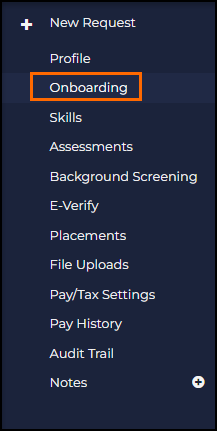
- Open Onboarding from the left side menu.
- Under Signed eDocs, locate the I-9 Section 2 document.
- Click the three-dot menu next to the document.
- Select I-9 Reverification.

- Supplement B opens in a new tab. Complete the required fields and sign.
Remote Inspection: Alternative Procedure
The Alternative Procedure allows employers to complete Section 2 and Supplement B remotely rather than reviewing documents in person. The Alternative Procedure is available only for organizations enrolled in E-Verify An online system that confirms the eligibility of an Employee to work in the United States. The process compares information entered by an employer from an employee’s Form I-9, Employment Eligibility Verification, to records available to the U.S. Department of Homeland Security and the Social Security Administration to confirm employment eligibility. and requires a configuration change before authorized representatives can use it.

The Alternative Procedure is only available to employers enrolled in and in good standing with E-Verify. If your organization is not enrolled in E-Verify, remote document inspection is not permitted under USCIS guidelines.
What the Alternative Procedure Adds to the Form
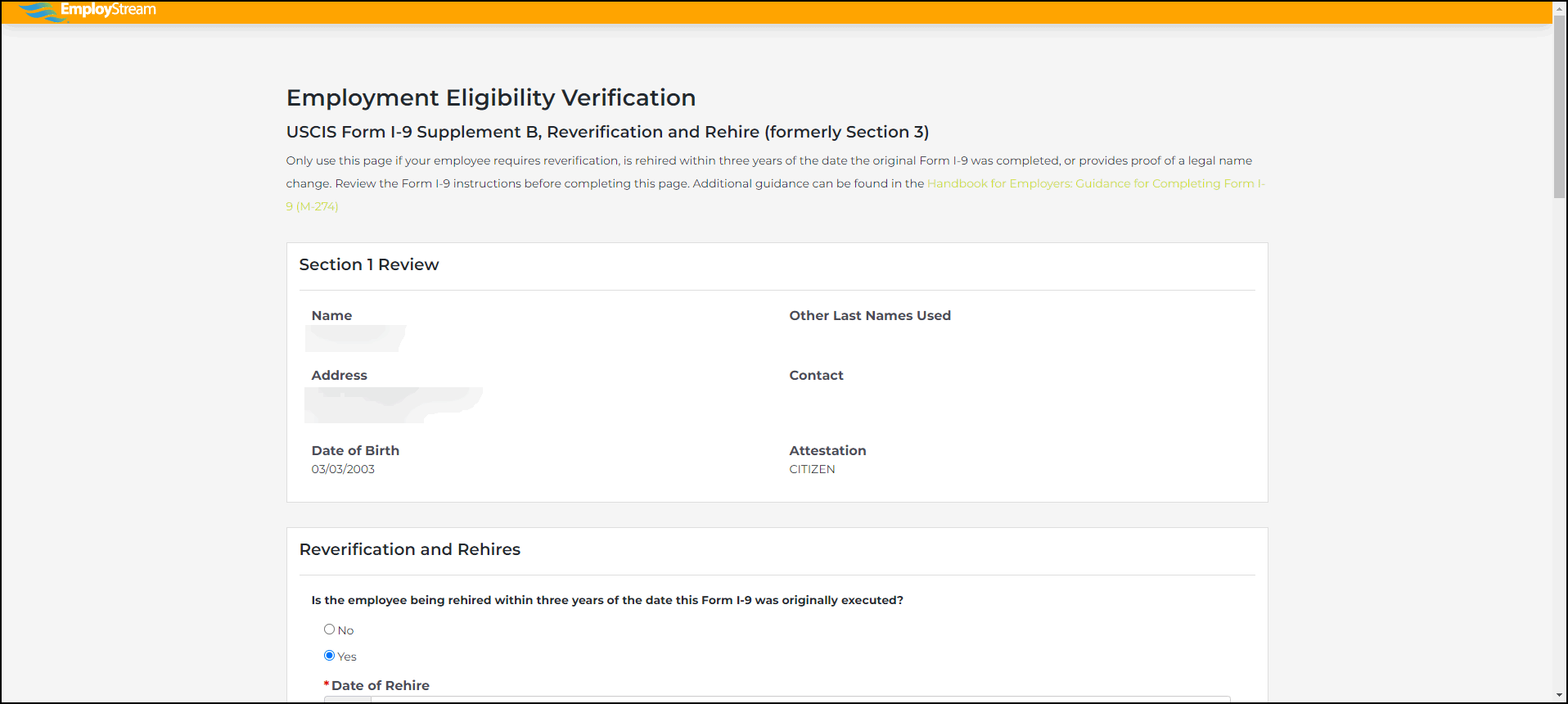
When the Alternative Procedure is enabled, authorized representatives see two additions in Section 2 and Supplement B:
- An Additional Information text box for entering notes about the remote verification.
- A checkbox to indicate that the Alternative Procedure was used for the virtual inspection.
How to Enable the Alternative Procedure Checkbox
An admin must turn on this setting before authorized representatives can use the checkbox in Section 2 or Supplement B.
- Navigate to Company Settings > System Settings > Form Any document that needs to be completed and signed by a Candidate I-9 and E-Verify.
- Enable the Enable Alternative Procedure Checkbox setting.
How to Allow Applicants to Upload Verification Documents
A separate Blueprint A set of global document maintained by Bullhorn that client’s can enable as needed. This would include I9, Federal W-4 and State Withholding forms. lets applicants upload copies of their Section 2 documents ahead of the remote review session. This confirms the documents are ready before the virtual meeting and ensures compliance with Alternative Procedure requirements.
- Assign the Blueprint Remote Document Upload (Alternative Procedure to Physical Document Examination) to the applicant.
- Assign the Blueprint alongside the 2023 I-9 Section 1 and Supplement A form.
- The applicant uploads their documents, confirming they are prepared for the Alternative Procedure review.
Troubleshooting
Use these steps to resolve the most common issues with Supplement B and remote inspection.
If Supplement B is not available for a rehired applicant
Supplement B only appears when the applicant has a fully completed I-9 (both Section 1 and Section 2 signed). Confirm the original I-9 is complete before attempting to start Supplement B.
If the Alternative Procedure checkbox is not visible in Section 2
Navigate to and enable the Enable Alternative Procedure Checkbox setting. The setting must be turned on before the authorized representative completes Section 2.
If an applicant's work authorization is expiring and needs to be reverified
Use Supplement B via I-9 Reverification from the three-dot menu on the Section 2 document in Signed eDocs. Enter the applicant's updated work authorization document information and sign Supplement B. Do not create a new I-9 unless Supplement B is not applicable.
Frequently Asked Questions
Do we need to create a brand new I-9 for a rehired applicant?
Not necessarily. If the rehire is within three years of the date the original I-9 was completed, Supplement B may be used instead of creating a new I-9. If more than three years have passed since the original I-9, a new I-9 is required.
What is Supplement B used for?
Supplement B handles three post-hire situations: reverification when employment authorization expires (required), rehires within three years of the original I-9 (optional), and legal name changes (optional). Supplement B replaces what was formerly called Section 3.
Does enabling the Alternative Procedure mean all Section 2 completions are done remotely?
No. Enabling the checkbox setting makes the Alternative Procedure available as an option. The authorized representative can still complete Section 2 in person. The checkbox is only marked when the Alternative Procedure was actually used for that specific completion.
Is E-Verify enrollment required to use remote inspection?
Yes. The Alternative Procedure for remote document inspection is only available to employers enrolled in and in good standing with E-Verify. If your organization is not enrolled in E-Verify, remote inspection is not permitted under USCIS guidelines.
Scenarios
The following scenarios describe common Supplement B and remote inspection situations. Each is written to stand alone for quick reference.
An applicant's work authorization document is expiring
If an applicant's employment authorization or supporting documentation is expiring, Supplement B is required for reverification. Navigate to the applicant's existing I-9 in Signed eDocs, click the three-dot menu on the Section 2 document, and select I-9 Reverification. Enter the updated document information and sign Supplement B to complete reverification.
A previously hired applicant is being rehired
If an applicant is being rehired within three years of the date the original I-9 was completed, Supplement B may be used rather than creating a new I-9. Navigate to the applicant's existing I-9 in Signed eDocs, click the three-dot menu on the Section 2 document, and select I-9 Reverification. Complete and sign Supplement B. If more than three years have passed since the original I-9, a new I-9 is required.
An applicant has a legal name change
If an applicant's legal name has changed since the original I-9 was completed, Supplement B may be used to record the updated name. Navigate to the applicant's existing I-9 in Signed eDocs, click the three-dot menu on the Section 2 document, select I-9 Reverification, and complete Supplement B with the updated name information.
The organization needs to complete Section 2 remotely
Organizations enrolled in E-Verify can use the Alternative Procedure to complete Section 2 remotely. An admin must first enable the Enable Alternative Procedure Checkbox setting in . Once enabled, the authorized representative will see a checkbox and an Additional Information field in Section 2 to indicate that the Alternative Procedure was used. Optionally, assign the Remote Document Upload Blueprint so the applicant can upload their documents before the remote review session.