Troubleshooting an Incorrect Company on a Synced Position
Company Mapping connects VMS company data to ATS company data so that the correct ATS company is set on a position when it uploads. This matching can happen automatically or manually. If a position syncs to your ATS with the wrong company, you can correct the company mapping directly from the position in VMS Sync. Follow the steps below to correct the mapping.
-
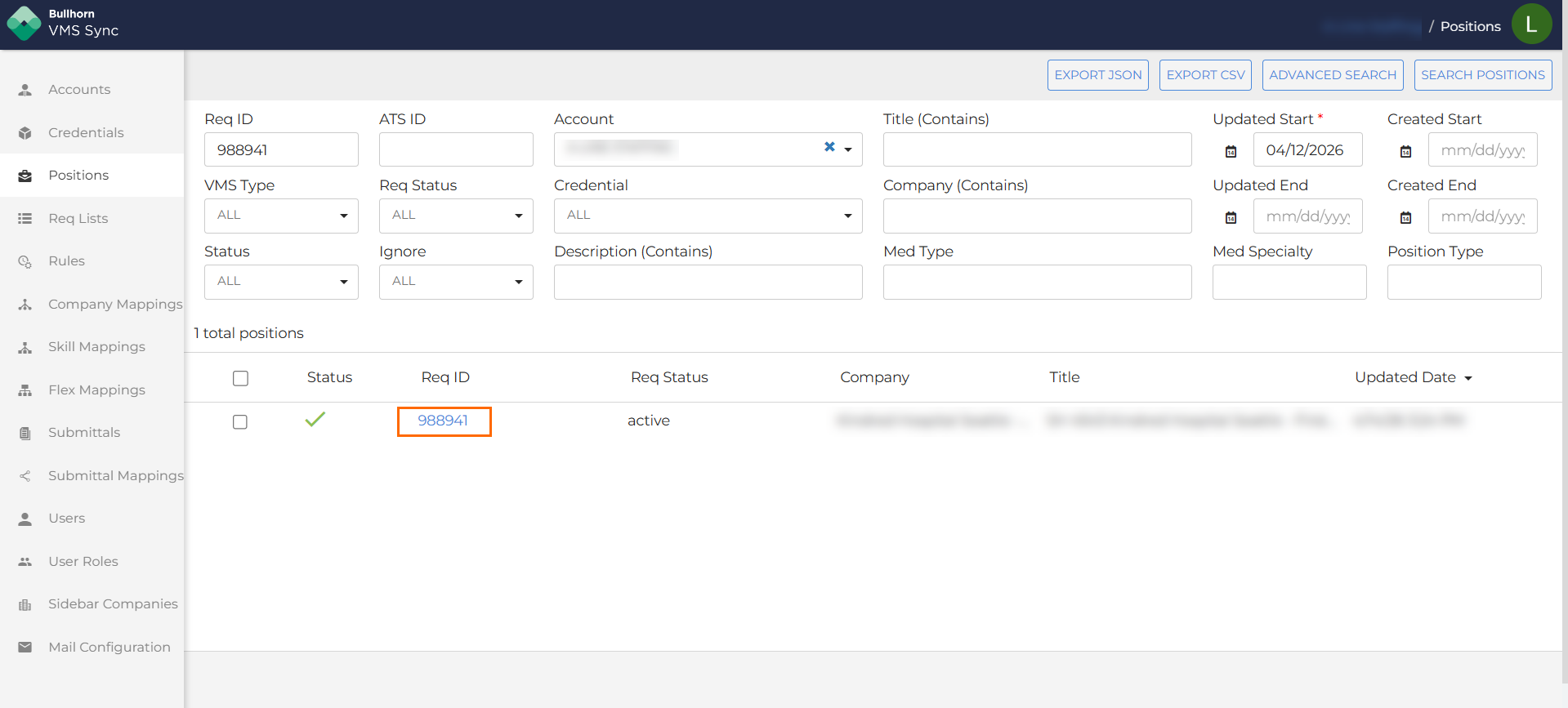
In VMS Sync, select Positions from the left navigation.
-
Search for the position using the Rec ID or ATS ID, then click Search Positions.
-
Click the Rec ID to open the position.
-
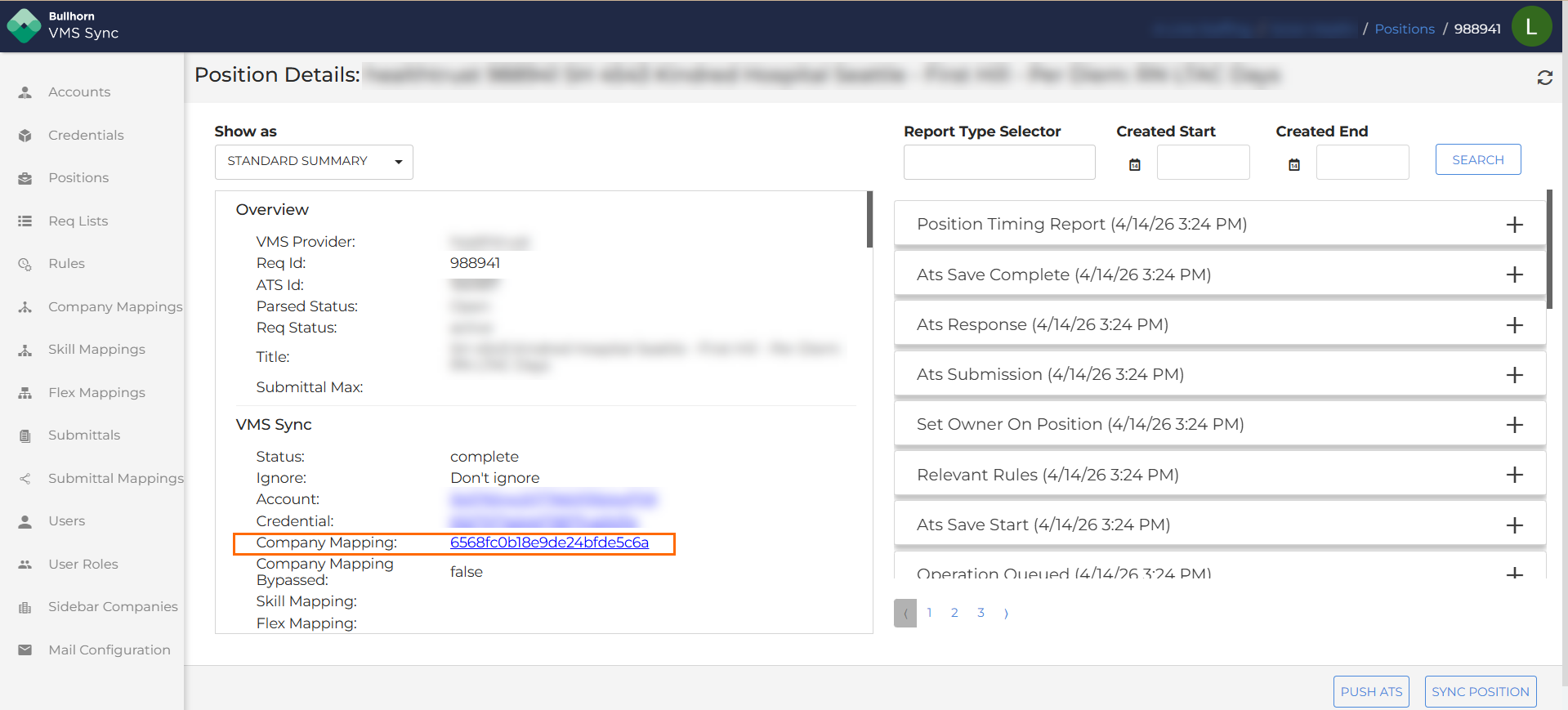
In the VMS Sync section on the left side of the position, click the Company Mapping ID link. This takes you directly to the company mapping associated with that position.
-
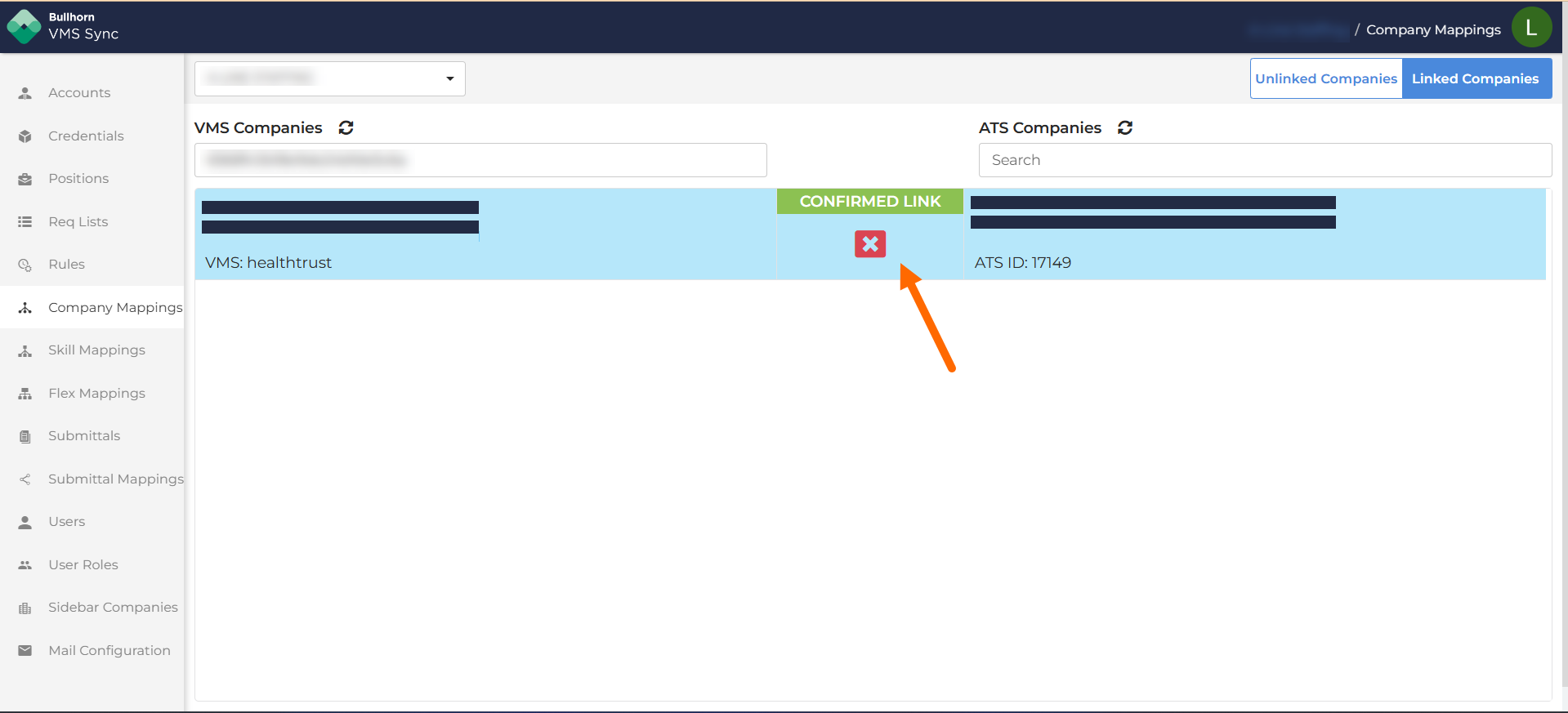
Review the linked companies to confirm whether the mapping is incorrect.
-
If the mapping is wrong, click the X to remove the link.
-
The VMS company will return to the Unlinked Companies tab. Select the correct ATS company and click Link Companies to create the correct mapping.
Once the correct link is in place, the position will update with the right company on its next sync.