Approved Time Tab
This article covers information on the Approved Time tab within the Web Dashboard in the BTE TMC. From the Approved Time tab, you can see the amount of hours entered for the week, who approved the time, assignment details, and more.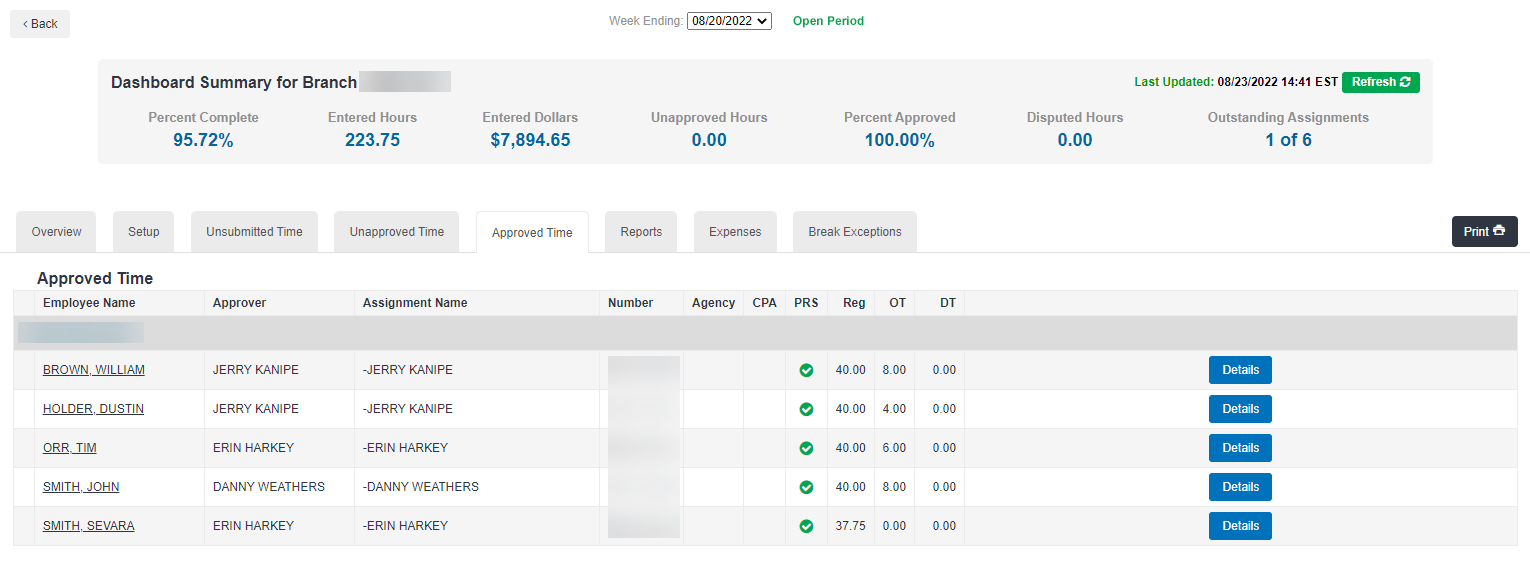
The Approved Time tab displays details on time that has been approved. You can see information including employee name, assignment detail, hours entered, and approver details.
To see even more detail on the approval, click on the Details button on the right of the screen. Here, you can see the employee name, assignment, and approver names in addition to the number of hours approved and when they were approved.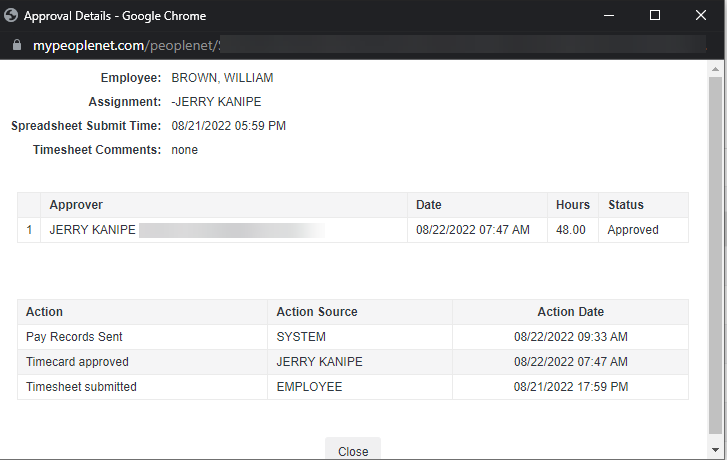
Employees marked as Did Not Work are automatically moved to the Approved Time tab for the period, indicating that you do not need to chase down time for them.