| Edition: All Editions | Audience: Group Admin |
Bulk Updating Groups: Step 3 - Upload Modified Groups File
This article explains how to upload your modified CSV file to bulk update groups. This is step 3 of the Bulk Updating Groups process. To return to the previous step, see Bulk Updating Groups: Step 2 - Download and Modify Groups File.
It is highly recommended that you backup all groups before uploading a file to update groups. Ensure you follow the steps in Bulk Updating Groups: Step 1 - Backup All Groups before proceeding.
Uploading the Groups File
- Go to Admin > Groups.
- Click the Bulk Update - Hierarchy tab.
-
Under the Upload section, select your CSV file separator formatting from the Upload Formatting Options dropdown.
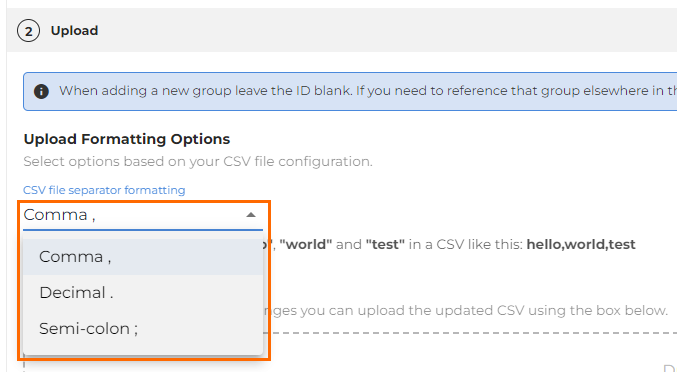
- Supported separators are comma, decimal, and semi-colon.
- Supported separators are comma, decimal, and semi-colon.
- Either drag and drop your groups file into the Upload box or click the choose a file hyperlink to browse for the file on your computer.
- Full and partial files are accepted.
- The CSV file limit is 20MB. Any files larger could cause an error to occur.
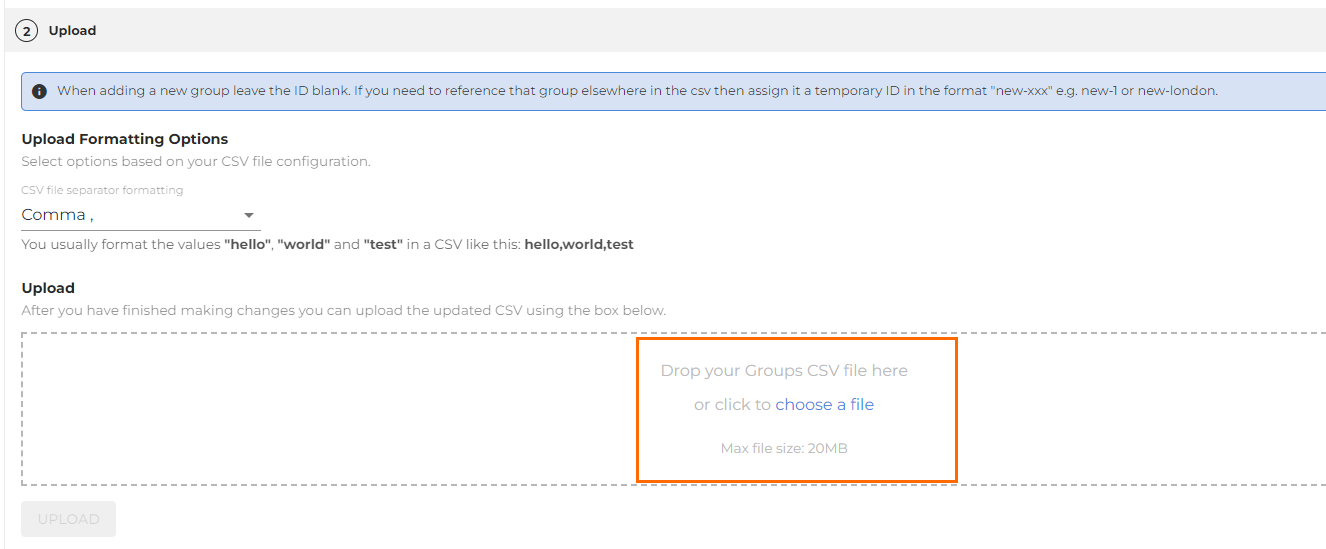
- Click the Upload button once it becomes selectable.
- If you choose the wrong file by accident, remove the incorrect file once it is available and then upload the correct file by completing the previous steps.
Status of Uploaded Files
The status of uploaded files will show once the file has completed processing.
- If no errors are present, your file has been uploaded successfully.
- If an error is present, continue onto the next section.
Status history will display for the last 1,000 uploaded files. If you need assistance with retrieving a historical file, please contact Support.
Errors
Errors will display as either a file level error, or a record level error within the file.
- A file level error indicates an issue with the file itself. This typically happens when you are attempting to delete groups containing subgroups/users.
- A record level error indicates an issue with a specific record(s) in the file itself. An example of a record level error is an invalid value in the uploaded file.
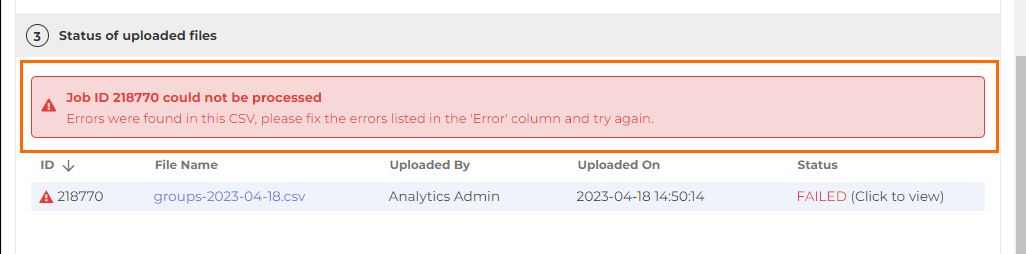
If you click Download to view, there will be a new Error column. The exact error will display in the row(s) where the issue was found.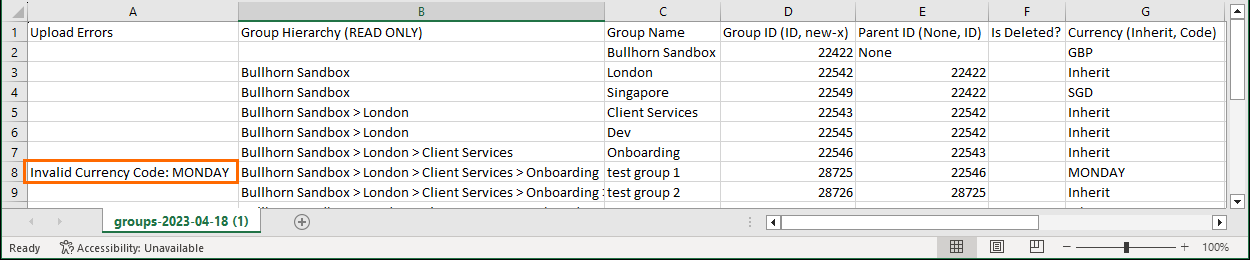
You are able to download and then re-upload the same file for bulk updating. If a file with an Error column is provided, the Error column will be ignored to allow for reprocessing.