| Edition: All Editions | Audience: Group Admin |
Group Inheritance: Group Attributes and Details
This article explains how group attributes and details are displayed in the Group Inheritance feature.
Group Attributes and Details
For each group, you'll see how each attribute (as selected in the Attribute Options) has been set for that group. You can view the top-level parent group to see which attributes are set at a company level.
In the example below, COMPANY VIEW is the top-level parent group and displays the attributes that are set at a company level:
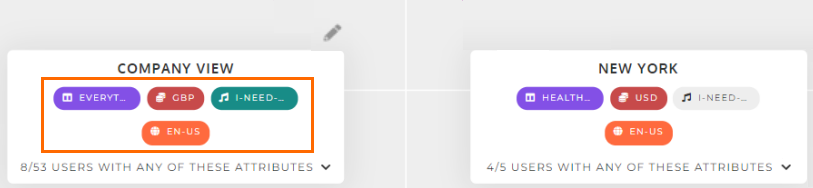
Underneath the attributes you can see the number of users assigned to the group. The top-level parent group shows the number of users that belong at the company level, but not to a group:
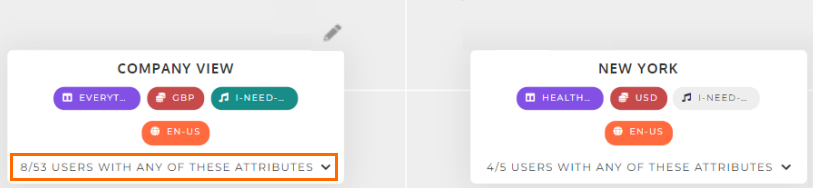
You can click the number of users to display the full list of users.
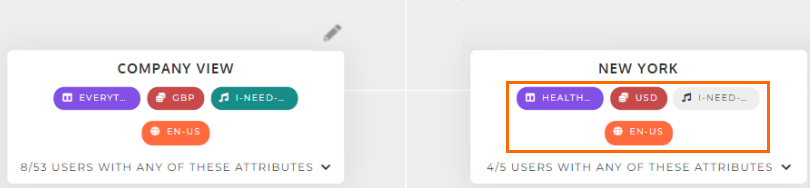
For sub-groups, attributes that are inherited from the parent group will be greyed out, and attributes that are set independently will be highlighted.
In this example, the Deal Music attribute for NEW YORK is greyed out because it is inherited from the parent group:
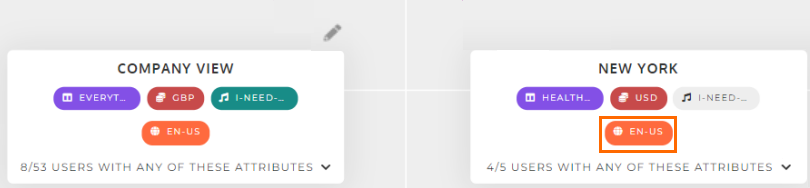
The Locale attribute is highlighted because it is set independently, despite being the same as the parent group. An excellent opportunity to tidy things up!
See Group Inheritance: Updating Group Attributes and User Permissions to find out how to update group attributes and user permissions from within the Group Inheritance feature.