| Edition: All Editions | Audience: Group Admin |
Group Inheritance: Updating Group Attributes and User Permissions
This article explains how to update group attributes and user permissions using the Group Inheritance feature.
Updating Group Attributes
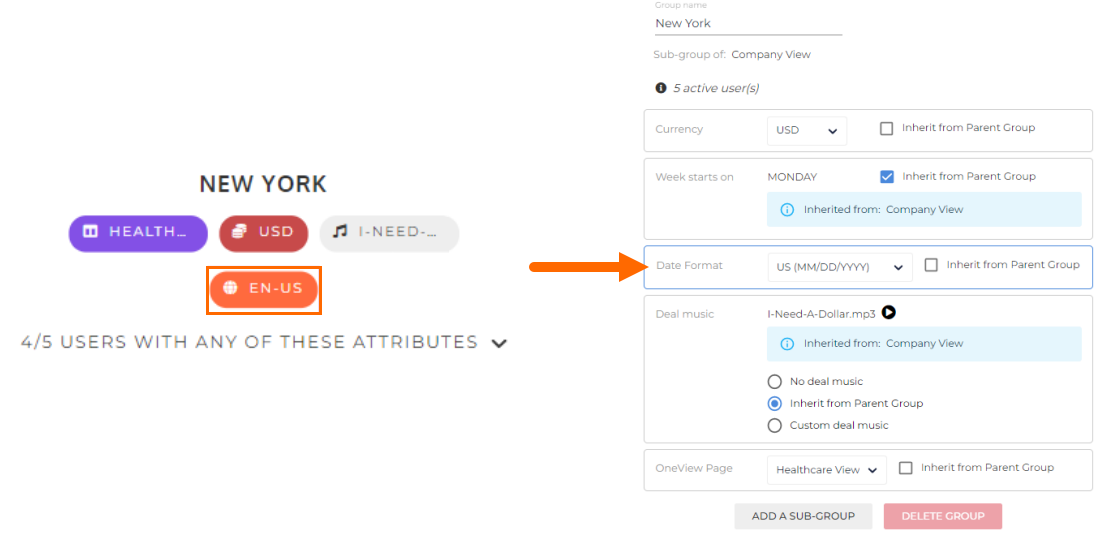
To update attributes for a group, simply click the attribute you wish to update. The group configuration page will open, with the attribute you clicked highlighted in yellow.
While in the group configuration page you can update all other attributes, including the group name, weekly start day, deal music, and OneView Page. You can also create new groups (as a sub-group of the current group) or delete the current group.
Example:
In this example, the NEW YORK group has its Locale set independently, even though it is the same as the parent group (COMPANY VIEW) and could be inherited:
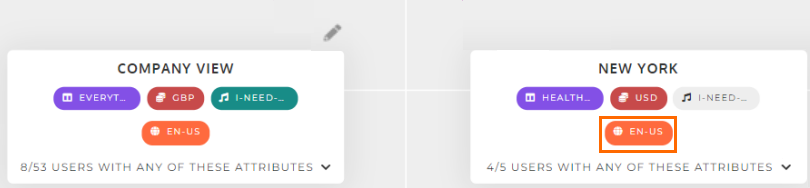
To fix this, click on the attribute to open the group configuration page. From here, you can click the Inherit from Parent Group tick box.
Updating User Permissions
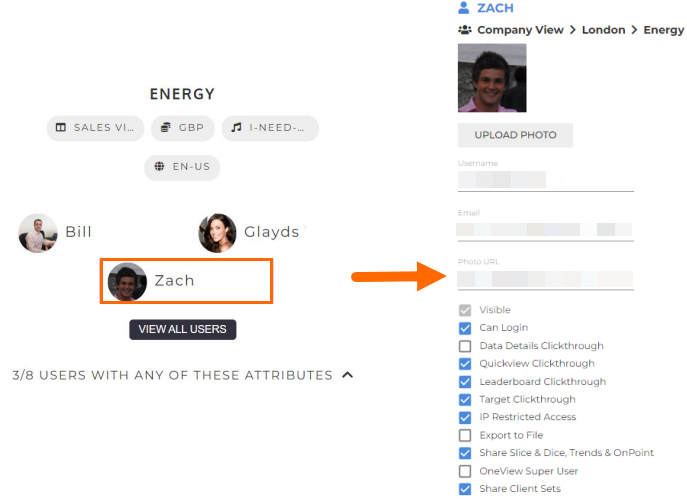
To update user permissions, click on any user. The user's configuration page will open. From here, you can update any aspect of that user’s attributes and permissions. You can also update photos, deactivate the user, and set or reset passwords for the user.