| Edition: All Editions | Audience: Group Admin |
Group Inheritance: Filter Options and Navigation
This article explains how to navigate the Group Inheritance feature and contains an overview of the available options.
Filter Options and Navigation
Search Field
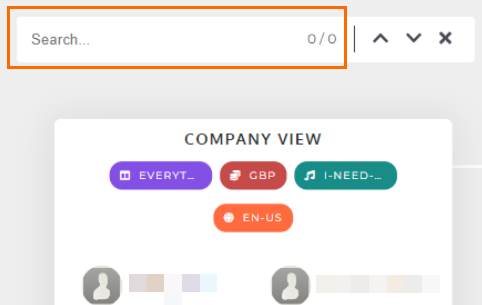
Use the Search... field to search for any group or individual user in the hierarchy. Search matches will initially flash to ensure that they are easily identified.
View Options
The view options along the bottom of the screen allow you to zoom in and out of the displayed hierarchy. You can reset the view or enter full-screen mode to view more of the hierarchy on the screen. When the cursor becomes a crossroad, you can click and drag the hierarchy view around the screen to hone in on areas of interest.

Groups Filter
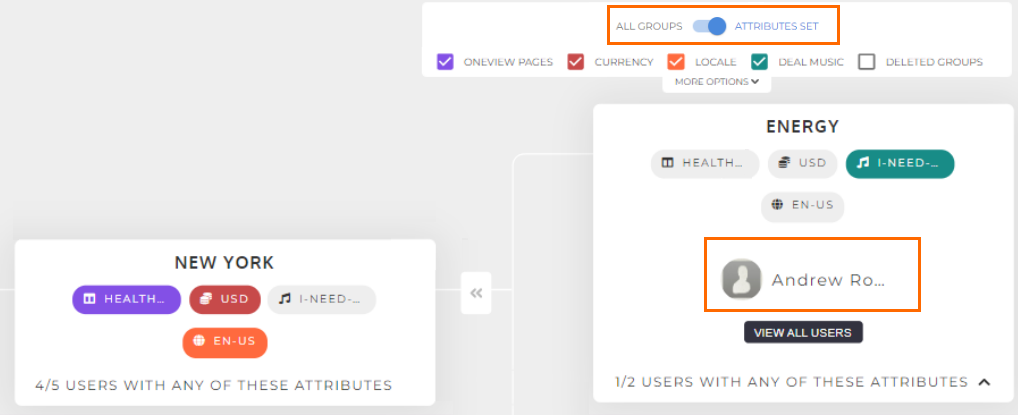
The groups filter allows you to switch between All Groups or Attributes Set.

-
All Groups: This will display the full group hierarchy, including company level, groups and sub-groups.
-
Attributes Set: This will display the group hierarchy filtered by those groups that have different attributes to the company-level group, or groups containing users with different attributes, e.g. users with custom deal music or a custom OneView page.
In the example below, because the filter is switched to Attributes Set, only Andrew is displayed because he has an attribute set that is not inherited:
Attribute Options
Use these options to toggle which attributes are shown in the hierarchy. For example, if you are UK-based only and don't need to see currency or locale (date display) variations, you can uncheck these options and focus only on the OneView Page and Deal Music attributes.

Deleted Groups
Select this option to show deleted groups in the hierarchy.

More Options
Click More Options to expand the Show User Pictures and Show User Names checkboxes. These allow you to control whether user names and pictures are shown in the hierarchy.


Edit Group
Hover over a group and click the Edit icon to edit the group:

Collapse Group
Click the Collapse icon next to a group to collapse it.

See Group Inheritance: Group Attributes and Details for a guide to the information displayed for each group.