Activate Employee Financial
This workflow will create the segments necessary to store the employee’s financial information; which is used by the back office to pay the employee.
- Select Activate Employee Financial from the Candidate Activities menu.
-
The Adapt screen will refresh to display the Employee Financial Summary Segment.
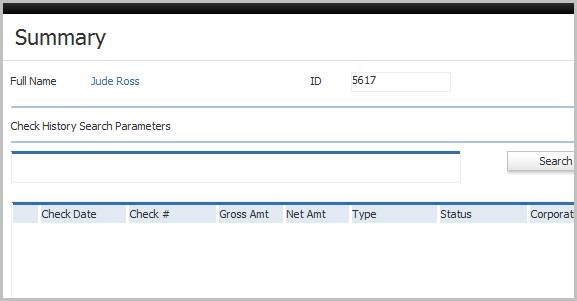
-
Locate additional Employee Financial segments in the segments control panel to the left side of the record.
- Summary – lists check history
- Payroll / Taxes – lists employee tax records per corporation
- Deductions – lists deductions from employee’s pay
- Direct Deposits – lists all bank records used to transmit employee pay electronically
- Government Reporting – lists the government reporting periods for which the employee reported wages
- ACA Details – lists information about the employee's coverage status is it relates to the Affordable Care Act (ACA)
- Switch back and forth with the front office / back office (financial) record by clicking the Candidate / Employee Financial links in the entity title bar.
Was this helpful?