Update Availability
Use these instructions to add a note to the candidate’s journal regarding his / her current or future work availability.
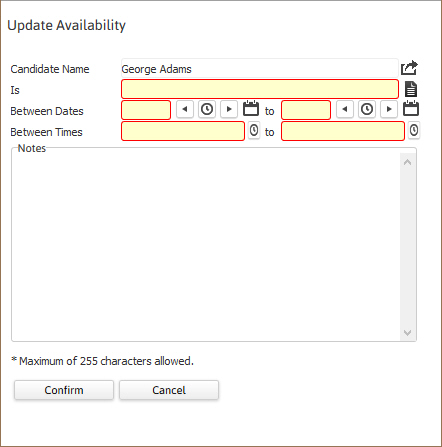
- Select Update Availability from the Candidate Activities menu.
- The Update Availability workflow will open in a new window. While updating the form notice that fields marked in red are required to complete the workflow; and that by clicking on the buttons to the right of certain fields, a new window will open, allowing you to search and select options related to that specific field, or choose a date.
- Add notes as necessary.
-
Click Confirm to complete the workflow.
-
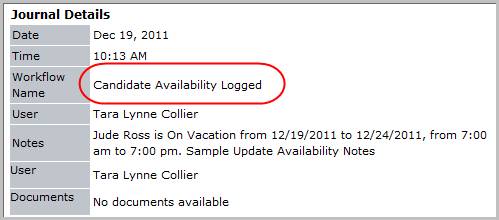
Verify the Candidate Availability Logged entry and notes from workflow post to the journal.
Was this helpful?