Add WC Claim
Add WC Claim allows you to perform a workflow to report an injury to a Candidate.
You need to have 'Manage Claim' permission to be able to add a WC Claim.
Use these instructions to add a WC Claim to a Candidate record.
- Select Activities drop-list > Candidate Activities > Add WC Claim.
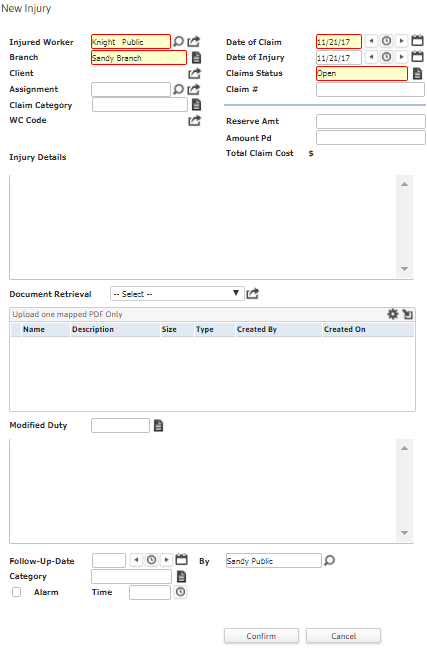
- The New Injury workflow will open in a new window.
- While updating the form, notice that fields marked in red are required to complete the workflow; and by clicking on the buttons to the right of certain fields, a new window will open, allowing you to select options related to that specific field.
-
Click Confirm to complete the workflow. The new workflow record is saved in the Workers Comp Claims widget under My Studios.
-
Once the new injury workflow is created, the same is reflected in the Candidate Summary screen with a checkmark against the 'Active Workers Comp Claim' field. If the Modified Duty status of 'Light Duty' or 'No work' is selected while creating the workflow, the same is reflected in the Candidate Summary screen with a checkmark against the 'WC Modified Duty or No Work' field.
An internal notification (called '1st Report of Injury') is triggered when a new injury workflow is created.
-
Verify the WC Injury Added entry and notes from workflow posted to the journal.
