Create Tip/Lead
Use these instructions to create a follow-up recruiting or marketing lead. This workflow is a general workflow that can be found on various entity records in the workflows control panel; usually in the Entity Activities menu. This document follows the workflow from the candidate.
-
Select Create Tip/Lead from the Candidate Activities menu.
If running from another entity or person role this will be located in the workflows control panel under the entity activities menu.
- The Create Tip / Lead workflow will open in a new window. Update the form, fields in red are required to complete the workflow.
- The person associated with the current entity is listed as the contact name. Use this workflow to follow-up with this person for potential candidate referrals or client prospect.
-
Click Confirm to complete the workflow.
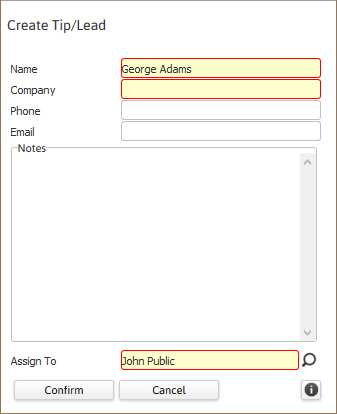
- Click the
 icon to view the help tip for this workflow.
 -
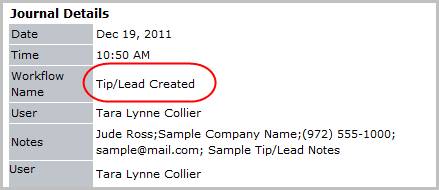
Verify the Tip / Lead Created entry posted to the journal.
-
The Tip / Lead will also display on the My Activity Dashboard under the adapt.studio tab.
