| Edition: Enterprise | Audience: Actuals Admin |
Actuals Summary
Actuals is used to upload revenue into Bullhorn Analytics via a CSV file, rather than pulling directly from Bullhorn ATS. Once ingested, Actuals data can be accessed and manipulated in the same way as any other metric. Actuals data can be targeted as a Priority Metric in OneView, reported over in Slice & Dice, OnPoint, and Trends, and used for building leaderboards and trend charts in Gamification.
Types of Actuals
There are two types of Actuals: Placement Actuals and Job Actuals.
Placement Actuals
Placement Actuals link to a Placement already in Bullhorn ATS, so these are suitable for accurate GP after submission of contractor timesheets, credits/rebates against perm placements, or adjustments to reconcile for Placements added in other currencies (Bullhorn Analytics uses a mid-market rate taken from XE.com on the 1st of every month to convert Placements to your HQ currency, which may differ from the rate your Accounts team want to reflect).
Job Actuals
Job Actuals link to a Job rather than Placement in Bullhorn ATS, so these are suitable for the initial or shortlist stages of retained work. This prevents the need to add ‘dummy placements’ into the ATS to account for the pre-candidate stages of retainers, which can otherwise distort other metrics in your system (such as number of Placements, time to fill, etc.).
Actuals Admin
To access the Actuals Admin area in Bullhorn Analytics, go to Admin > Actuals.
This area is split into two tabs: Placement actuals and Job actuals.
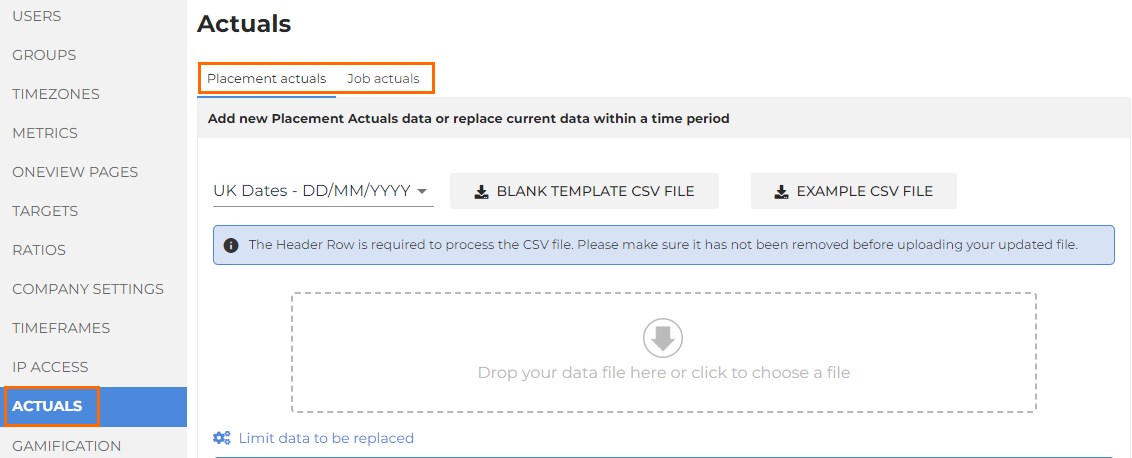
In each tab, you can download an Example CSV File that demonstrates how to complete the fields, and a Blank Template CSV File for you to enter your own data.
- For help filling in the CSV templates, see Placement Actuals CSV Upload Template Columns or Job Actuals CSV Upload Template Columns.
- For help uploading the CSV file, see Upload Actuals.