WTE Time Entry Types
Web Time Entry (WTE) is a self-service portal for agency employees to enter their own time for their assignments. The type of time entry shown in your WTE account is dependent on your employer. Use the information below to identify your time entry type and access it's corresponding documentation. Click the link in the Time Entry Type Column to access corresponding documentation.
| Time Entry Type | Image | Notes |
|---|---|---|
|
|
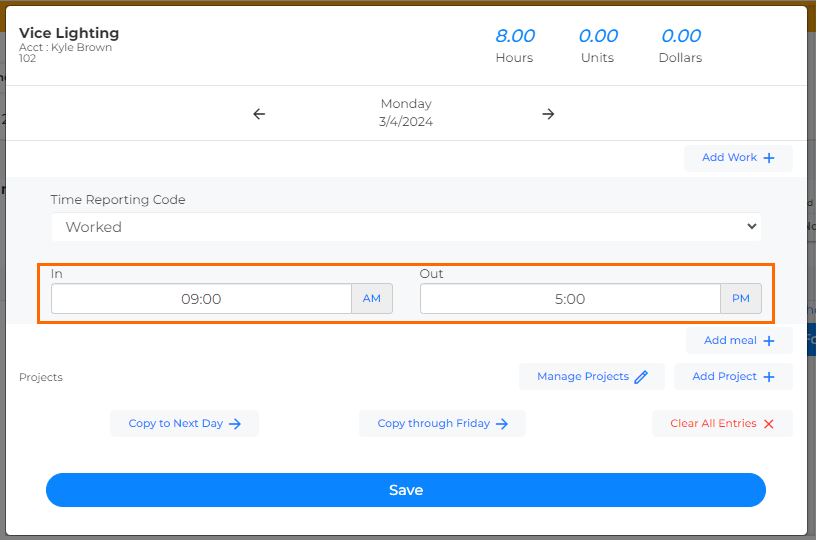
In and Out time entry prompts you to enter you in and out times for any given day. This is similar to punching in and out on a time clock and includes the ability to add meals by default. Your WTE Dashboard will be organized by week ending dates. Upon clicking into a day, you'll see an In box and an Out box to enter your time for the day. |
|
|
|
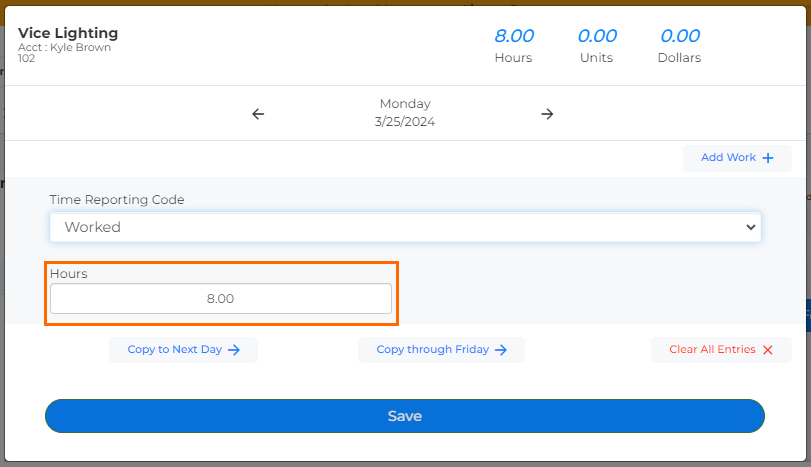
Hours per day time entry prompts you to enter the total number of hours you worked per day. This time entry type does not include meal tracking by default. Your WTE Dashboard will be organized by week ending dates. Upon clicking into a day, you'll see an Hours box to enter your time for the day. |
|
|
|
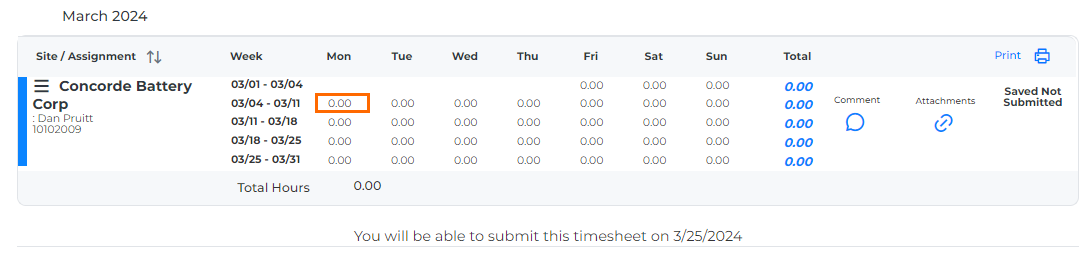
Monthly Time Entry allows you to enter and submit time per month, instead of per week. Your WTE Dashboard will be organized by months, rather than weeks. |