| Edition: Enterprise | Audience: All Users |
Dashboard Metric Clickthroughs and Deeplinking
Metric Clickthroughs
You can click on any metric in a Dashboard to view the underlying data details over the selected time period, e.g. This Month.
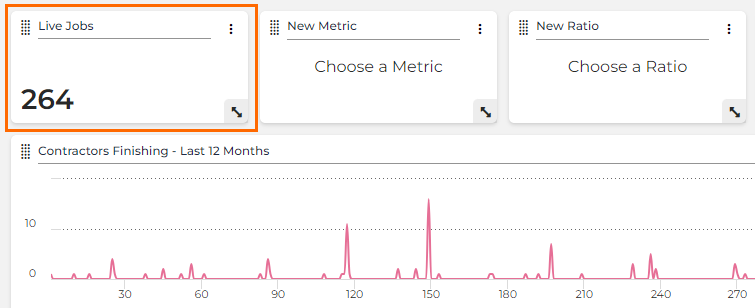
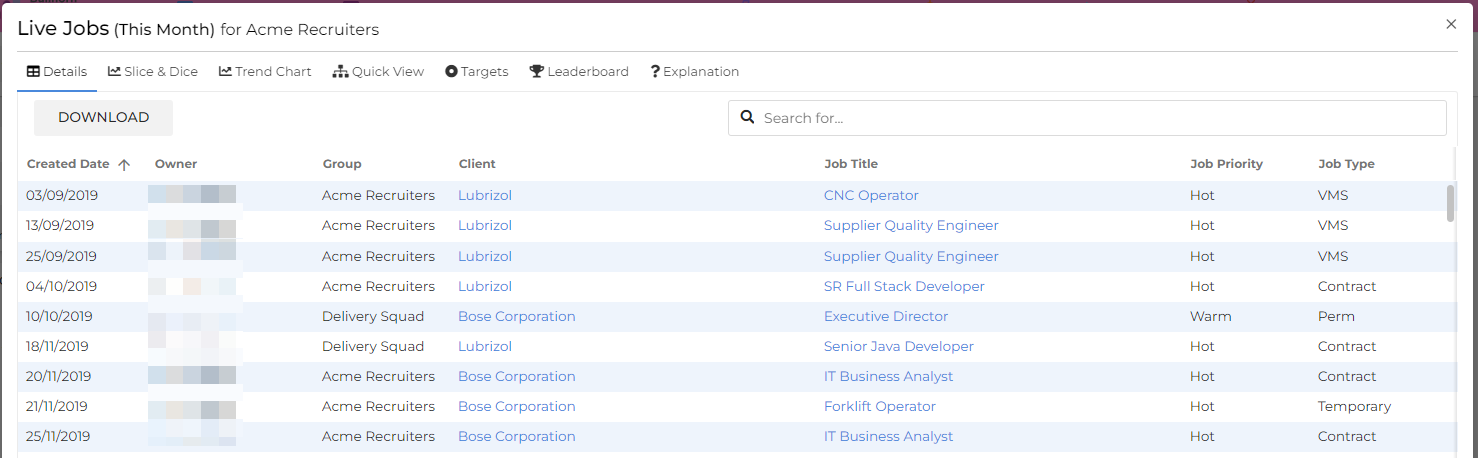
The data is presented as a set of columns (defined by your administrator) containing relevant information such as Created Dates, Client / Candidate names, Job Titles, and lots more.
Every column is sortable, and there is a search bar at the top of the page which will pick up any piece of data you search for, from any column.
Each metric has a specific selection of columns containing the most pertinent details. The option to Download clickthrough data into CSV is a specific permission enabled by your administrator on a per user basis.
Deeplinking
Once you access the data details in the clickthrough, you’ll see that some of the data in the columns presented are hyperlinked. Clicking these links will take you to the relevant record in your Bullhorn ATS in a new tab. In the example below, the link would take you to the Forklift Operator job record:
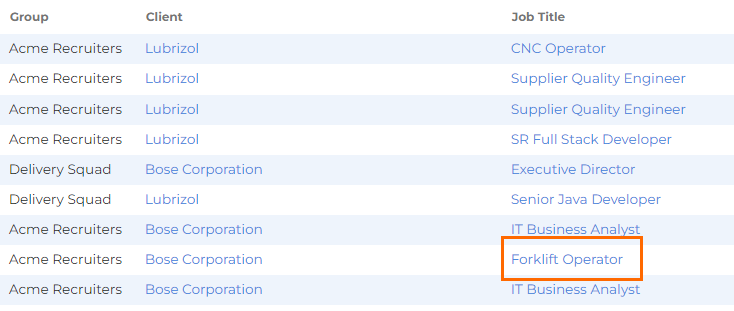
Deep Linking is present in all clickthroughs across the Bullhorn Analytics system.
Impact Comparison Panel Clickthrough Navigation
Impact Comparison panels support their own clickthrough behavior, separate from the single-metric clickthrough. Clicking anywhere on an Impact Comparison panel in a dashboard opens a popup showing all of the panel's metrics grouped by category, rather than a single metric's underlying record-level data. A pointer cursor appears when you hover over the panel to indicate it's clickable.
The popup title shows the panel name and the active timeframe, for example Recruiting Funnel - AI Assisted vs Non-AI (Last Month). Each metric group displays a percentage change badge, and the individual metric values are listed beneath it. If a panel has more metric groups than fit on screen, the popup scrolls. Close the popup using the X in the top right corner.
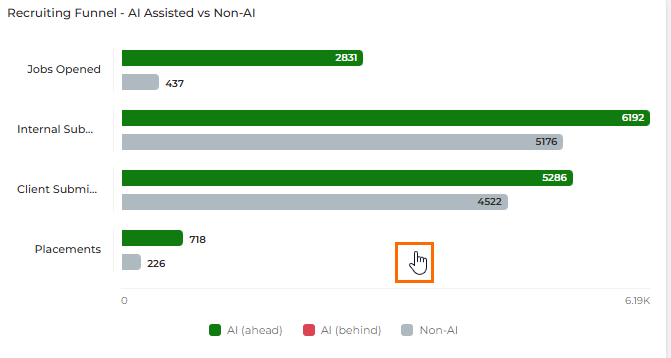
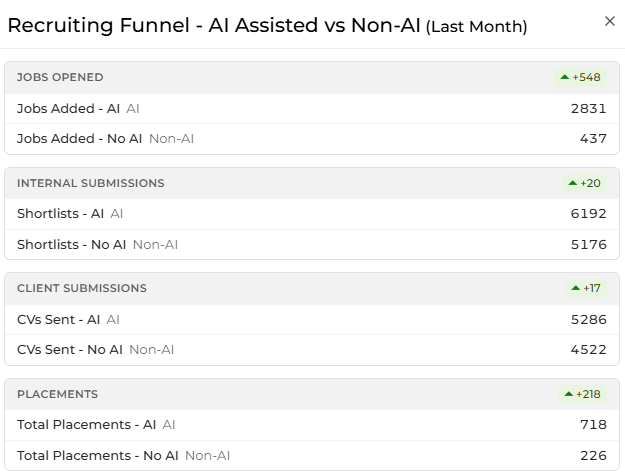
Unlike the standard Metric Clickthrough, values in the Impact Comparison panel popup are not hyperlinked to individual records. Use this view to compare metric groups at a glance; use a standard Metric Clickthrough when you need to drill into record-level detail.