| Edition:Growth, Corporate, Enterprise | Audience: User Admin, Group Admin |
Upload Deal Music
This article explains how to set custom deal music for individual users or groups in .
Upload Deal Music for a User
By default, users will inherit the deal music from the group they are part of. If you would like to set custom deal music for a user, follow the steps below:
- Go to Admin > Users.
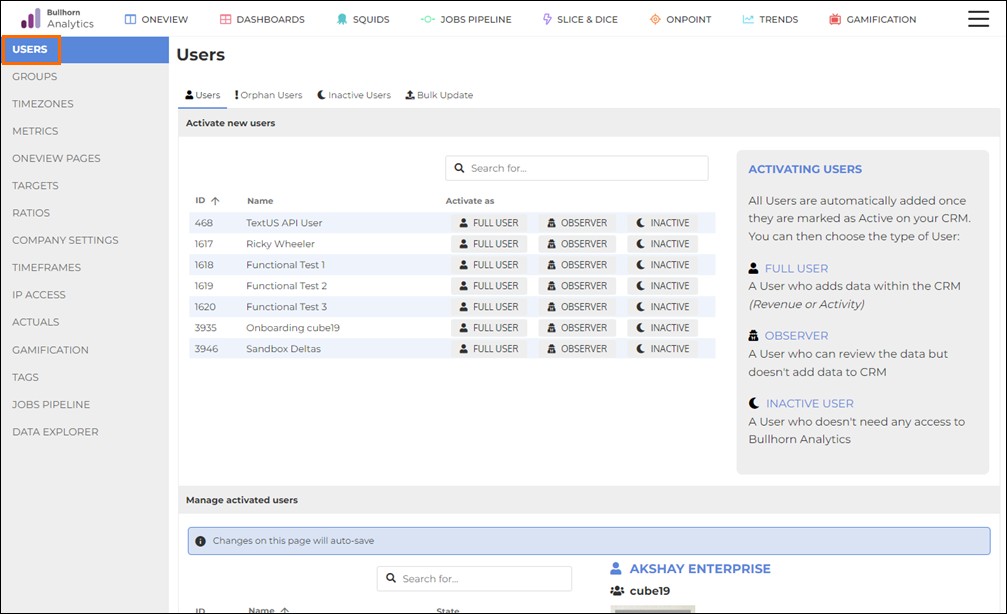
- Under the Manage Activated Users section, click on the user you'd like to add the deal music to.
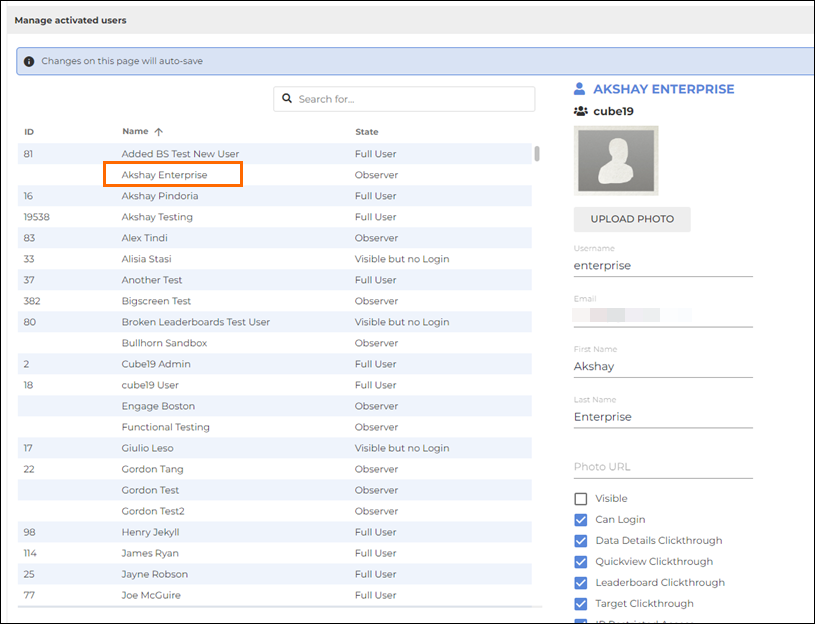
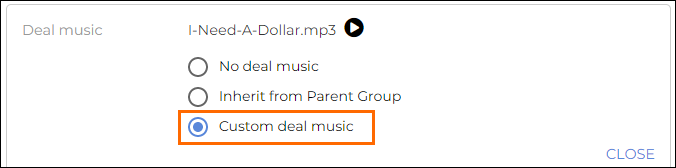
- Scroll down to the Deal Music section, then click on Custom Deal Music.
- Click Add New Deal Music.
- You can also select from your existing uploaded music files.
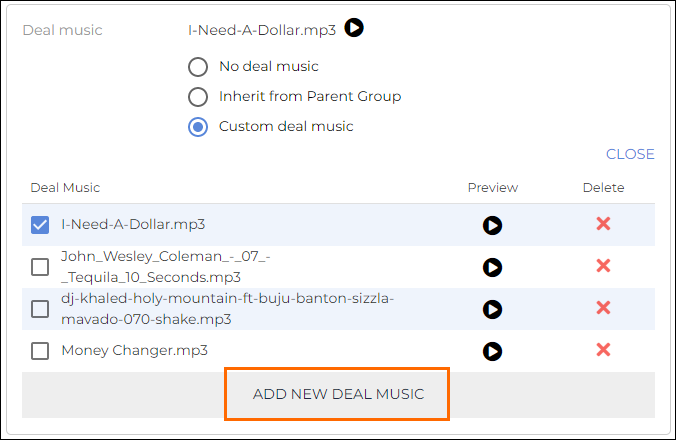
- You can also select from your existing uploaded music files.
- The window will expand for you to upload a music file. Drag and drop, or click to choose a file.
- Deal music must be an MP3 (.mp3) file of up to 25 seconds in length.
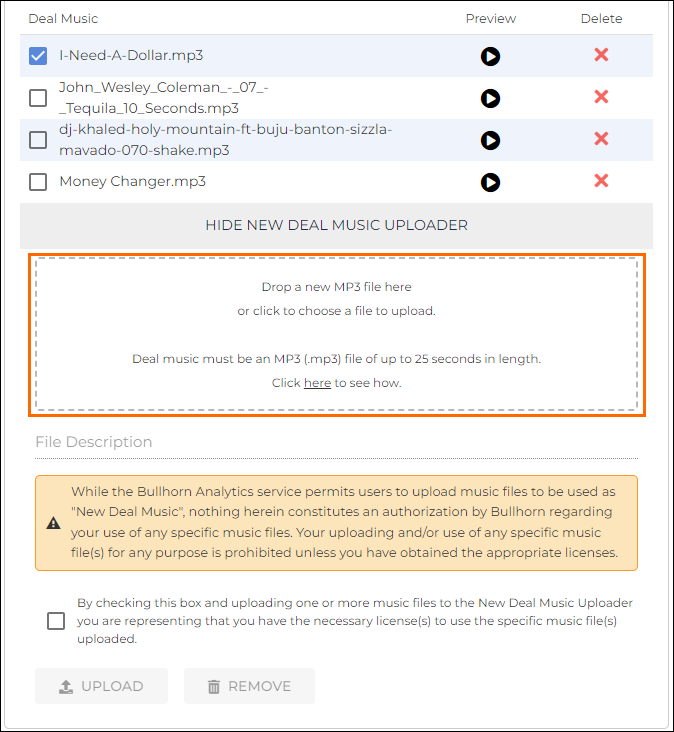
- Deal music must be an MP3 (.mp3) file of up to 25 seconds in length.
- Before you can upload the new music file, you must check the checkbox to confirm that you have the necessary licenses for the uploaded file. Once you check the checkbox, the Upload button will be enabled.
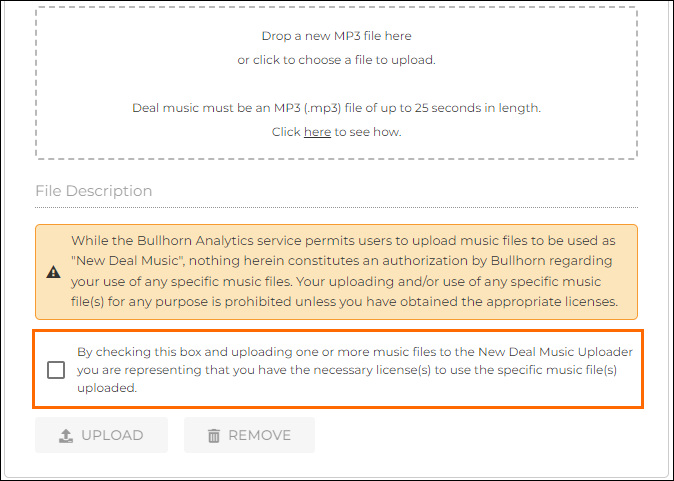
- Click the Upload button to upload the file.
Upload Deal Music for a Group
- Go to Admin > Groups > Group Management.
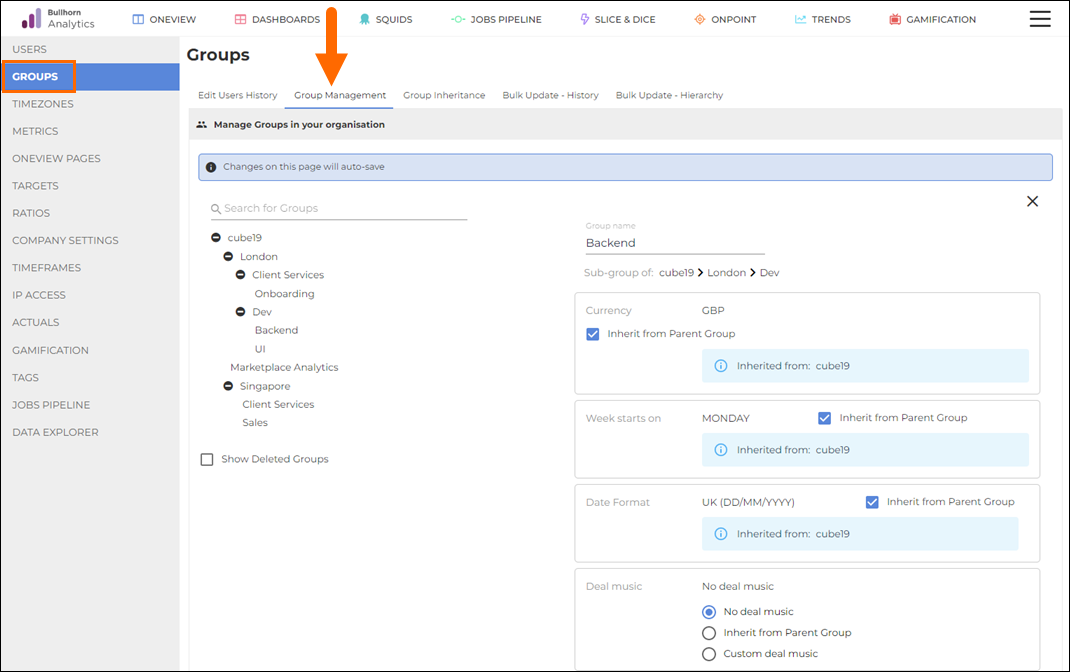
- Click on the group that you’d like to set the deal music for.
- Under Deal Music on the right, select Custom Deal Music.
- Click Add New Deal Music.
- You can also select from your existing uploaded music files.
- You can also select from your existing uploaded music files.
- The window will expand for you to upload a music file. Drag and drop, or click to choose a file.
- Deal music must be an MP3 (.mp3) file of up to 25 seconds in length.
- Deal music must be an MP3 (.mp3) file of up to 25 seconds in length.
- Before you can upload the new music file, you must check the checkbox to confirm that you have the necessary licenses for the uploaded file. Once you check the checkbox, the Upload button will be enabled.
- Click the Upload button to upload the file.
Was this helpful?