Ending a User’s Active Sessions
Learn how to end a user’s active sessions in Bullhorn. Ending a session logs the user out immediately across any computers or other devices they are logged into, and they must sign in again. This helps protect access to your data.
When to End a User's Sessions
End a user’s sessions as an additional step in the following situations, to ensure anyone currently logged in to the account is logged out immediately:
-
You change an account’s password. Ending sessions makes sure everyone is signed out and must sign in again with the new password. For more details, see Changing a User’s Password.
-
You need to make sure no one is still signed in on another device. For example, if a computer is lost or left unattended.
Ending sessions only logs the user out. It doesn’t prevent them from signing in again. When an employee leaves your company, you should always disable their account rather than only ending their sessions. Enabled accounts continue to be billed, and Bullhorn doesn’t recommend sharing accounts or transferring an existing account to a new user.
End a User's Active Sessions
You'll need Admin-level access to complete these steps.
-
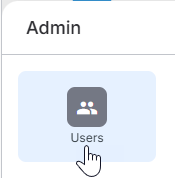
Go to Menu > Admin > Users.
-
Click the pencil icon
 next to the user whose sessions you want to end.
-
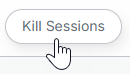
Click Kill Sessions.
-
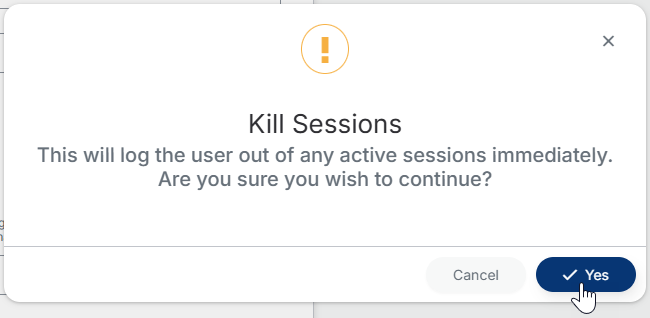
A warning message will appear. Click Yes to confirm.
-
Click Save.
The user is logged out immediately and must sign in again.
FAQ
How do I log a user out of Bullhorn right away?
Open the user’s page and click Kill Sessions. The user is logged out immediately and must sign in again.
Does ending a user’s sessions disable or lock their account?
No. The account stays enabled and unlocked, so the user can sign in again right away. To prevent the user from signing in, disable or lock the account.
Does locking an account also end the user’s active sessions?
Yes. When an account is locked, any active sessions are automatically logged out and the user can’t log in again until the account is unlocked. Use Kill Sessions when you want to log the user out but leave the account available for them to sign in again.
A user can’t log back in after I ended their sessions. What should I do?
Work through the steps in Troubleshooting Bullhorn ATS Login Issues. If the issue persists, contact Bullhorn Support.