October 2025 Release: Power Notes Features & Enhancements
October 2025 (2025.10 GA Release - Package Version 9.21)
Searching on Keywords and Lookups
The search functionality within the combined activity timeline has been enhanced to allow users to find activities and notes more quickly by searching on keywords and lookups. This update expands the search beyond just the subject and description fields to include all text fields on an activity, as well as specific fields on related records.
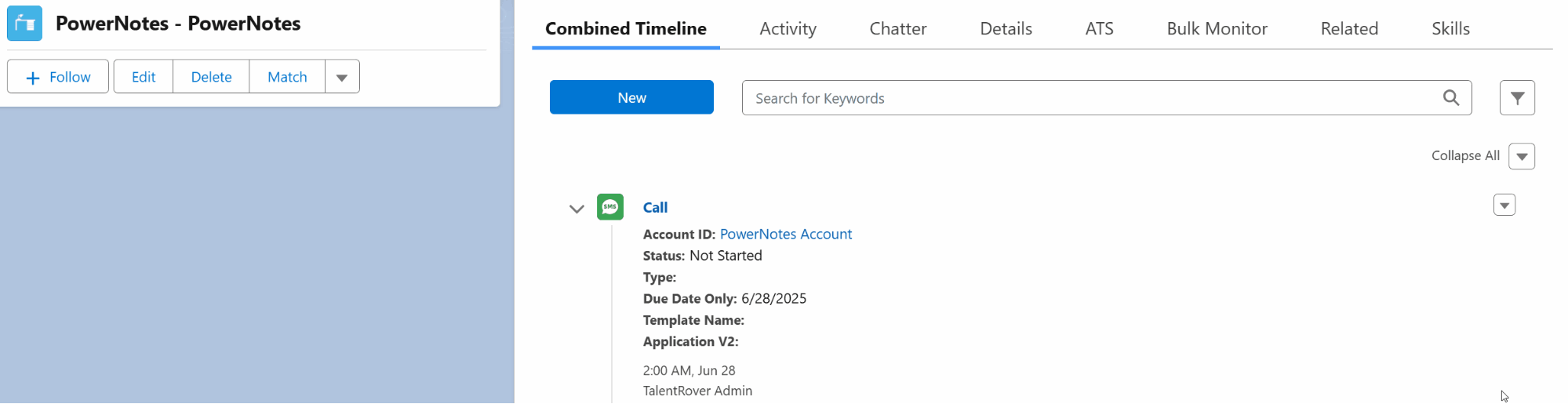
For more details, see Combined Activity Timeline
Create New Tasks & Activities Right from the Timeline
Administrators can now configure quick actions for the Combined Activity Timeline Actions for recruiters to run tasks and actions directly within the timeline, without having to navigate away.
Field Displays on Power Notes using Market Intelligence Components
Administrators can now configure custom fieldsets to define which fields appear on Power Notes objects within the Market Intelligence (MI) component.
Post Deployment Steps/Configuration
If customer/subscriber required to add new task (Power Note) field:
Market Intelligence Flow
- Navigate to the Market Intelligence Flow flow (or overwritten version)
- Add desired fields to the Market Intelligence Flow screen
- Make new field Read Only (Disabled): use IsViewMode boolean formula variable
- Set default value based on the taskRecord variable
- Open Get Task Record (Get Record element) and add desired field to the Select Task Fields to Store in Variable section. This will query desired fields
- Find Set Task Fields assignment element and add new field value to the taskRecord variable from the Market Intelligence Flow screen, e.g.:

- Save the flow and activate
Market Intelligence Save
- Navigate to the Market Intelligence Save flow (or overwritten version)
- Open Prepare Sourcing Note Record transform element
- Navigate to the sourcingTaskRecord block and find your new field
- Connect sourcingTaskRecord field with corresponding Task field
- Save the flow and activate